


small business software Archives - Page 8 of 8 - Striven

ERP Vs. All-In-One: Is There A Difference?

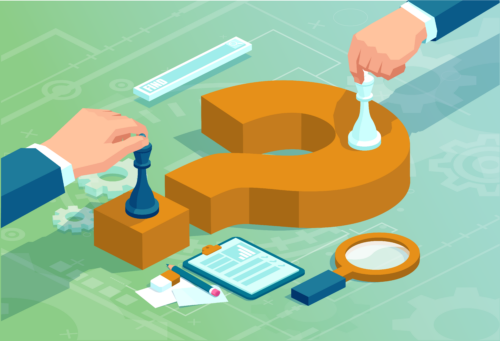
More often than not, the terms all-in-one business management software and ERP (enterprise resource planning) software are used interchangeably. On the surface, they’re very similar. Both are used to help businesses: 

  • Increase workplace efficiency 
  • Grow profit margins
  • Facilitate employee connectivity and collaboration
  • Enhance organizational transparency

However, all-in-one and ERP software are not the same thing—and the difference really matters.

Odds are, your business has considered adopting an ERP or an all-in-one business management software. From manufacturers to field service technicians to contractors, both types of software solutions allow businesses to accomplish more.

Industries change, but the questions that you and other business owners have about software solutions stay mostly the same.

“Will I be able to virtually connect with my employees, subcontractors, customers, and vendors?”

“Will I have a system of record with access to all of the data I need?

“Will I be able to customize and automate workflows and other processes?”

“Will I have a clear and all-encompassing picture of my finances?”

questions about all in one business management software

Let’s explore the ways that both ERPs and all-in-one software can help you answer these questions, and where the differences can really impact your business.

All-In-One Business Management vs. ERP Software

Looking at the big picture of any business, the goals are almost always the same—increasing profit via increasing efficiency and reducing costs. 

Choosing the right software solution will require a more granular approach to addressing what your goals are. 

Is your business focusing on pushing a singular, uber-successful product or an abundance of moderately profitable items? Do you work with a large number of small vendors or a small number of large vendors? Does your business have multiple locations—or more importantly, is your business planning to expand? 

You may not have all of these answers yet, and that’s ok. Choosing the right software solution isn’t about knowing everything, it’s about knowing what you don’t know and charting a course to seek out these answers accordingly.

Business Size

One of the most common misconceptions about ERPs is that they are only practical—or affordable—for large enterprises. While it’s true that ERPs were first developed for large-scale organizations, the operability, usability, and affordability of these systems have since trickled down into the small business world. 

There exist ERPs that are best suited for large, multi-continental enterprises. You may not need a software service that can power 500 factories or handle 10,000 employees. What you do need, however, is the power and consistency that this type of software offers.

David vs Goliath business competition. Great difficulties for small business against big corporations

This is where all-in-one business management software comes into play. 

ERPs host and transmit all of a business’s data, but they often require additional modular integrations to reach their full potential. For a massive, Fortune 500 enterprise, adding additional software systems on top of an ERP isn’t necessarily a deal breaker. 

For an SME, however, budgets are a bit tighter. It’s important to seek out a solution that provides the same level of quality data management as an ERP while taking the entirety of your business into consideration, not just a portion of it. After all, there’s more to your business than just silos of data.

All-in-one software solutions are tailored to both the fiscal and human needs of SMEs.

Customization Capabilities

Similar to most aspects of life, “fit” is one of the most important variables to consider—the software solution that is best suited for your business needs may not be the best solution for another business.

For example, let’s say your company is a mid-sized perishable foods packager and distributor. Some of your needs are no different than most other companies—you need to make smart hires, handle complex process scheduling, and reliably track financial records.

But when it comes to finding the right ERP or all-in-one solution, the most important variables are the ones that set your business apart. 

When it comes to inventory management and transportation, you’ll need to allocate additional resources to account for the shelf life of your products. Are you able to easily create, scan, and implement barcode labels? When food packaging goes wrong, what additional health and safety protocols need to be enacted that wouldn’t be relevant to a traditional discrete manufacturer?

ERPs are often constrained to a particular niche. While a single ERP may be able to handle supply chain management or project management-related tasks, what happens when those functionalities need to be integrated with the other facets of your business? Is ERP software built for this kind of interconnectivity or will you be forced into adapting additional, time-consuming, and often expensive integrations?

All-in-one business management solutions, on the other hand, are more tractable. Offering the same transparency and data management capabilities as a larger ERP, they are equipped for customization that isn’t limited to a single business silo—they are backed by a team of professionals who see to it that their product fits all of your business’s specific needs, not just a select one or few. 

Implementation

Getting your new software off the ground is always a multifaceted process. A big chunk that leads to successful implementation is simply choosing the right software solution, but an equally large portion falls in the hands of the rest of the people involved. Namely, three distinct parties are in play—your management team, your employees, and your software’s implementation team.

Implementation concept illustration. Idea of innovation and development.

Migrating to any new system takes time. Moving the entirety of your business’s data can come with varying degrees of hiccups and speed bumps. Whether you choose an ERP or an all-in-one, the support team behind your new software will play a critical role in its successful adoption.

While implementing an ERP will often cover most of your traditional business processes, it’s possible that you’d need to integrate additional software modules. Common integrations would include online banking portals, e-commerce platforms, or something within Google Workspace.

In terms of the logistics and ramifications of integration, what is the main differentiating factor between all-in-one business management software and ERP software? All-in-one business management software solutions take the entirety of your company into consideration, not just the industry specialty that the ERP focuses on.

Because of this, all-in-one solutions are much easier to get off the ground. The need for secondary integration is minimal. For example, the need to externally integrate accounting software or document storage protocols will not be necessary—those features are routinely included in the best all-in-one business management software.

Day-To-Day Usage

day-to-day tasks

Who will be using your software solution on a day-to-day basis? Will it be exclusively used by your C-Suite? Will your accountant be involved? Or is this software that everyone in your company can benefit from?

No matter your answers to these questions, it’s important to find a software provider that will be able to onboard all relevant employees to complete the tasks they need for their roles. 

All-in-one business management systems are ideal for handling the human processes of your business—tracking productivity, handling HR-related issues, and managing customer relationships. Visibility and transparency are key. Most, if not all of your employees, will need access to these types of functions. But don’t worry, you can set permissions for various roles.

As far as ERPs are concerned, they’ll be able to handle most of the same processes. While all-in-one business management software is excellent at managing and automating human processes, ERPs handle large amounts of data. Think inventory management, data entry, and financial reporting

Both ERPs and all-in-one solutions provide immense value for your business. Which begs the question: which type of software has more overall value? While an ERP might present value to a few specialized employees with crucial roles within your business (i.e., a plant manager or company executive) an all-in-one solution benefits every employee, regardless of job description.

Often, the best and most actionable data your business has to offer comes from the employees on the front lines. All employees work better with better tools at their disposal—not only will upgraded technology allow them to be more productive, but they’ll also feel more included in company operations and workplace culture. After all, your business functions best with happy people. 

Finding The Best Software For Your Business

What does your business need to succeed? The answer is different for every ongoing concern. Maybe your claim-to-fame as a business is your product or service, but you need a better way to find new talent. Or, perhaps, you have all the talent in the world, but you need a better way to stay organized. 
The true answer to “What is the difference between all-in-one business management and ERP software” isn’t just about the technology behind the software—it’s about what your business and your employees can do with it.

With an ERP, the solutions it offers are clear—a “manufacturing ERP” will tackle inventory needs, supply chain management, and handling custom building requirements. A “construction ERP” will handle meeting OSHA requirements, gathering project materials, and facilitating subcontractor management.

Those are great, necessary features that are a key component of success. But with an all-in-one business management solution, you’ll be able to utilize those features while connecting to the other various pillars that your business runs upon—accounting, HR, project management, remote work, and so much more. 

In essence, think of an all-in-one business management solution as an “ERP+”. 

Focus less on the final outcome, and start focusing more on the systems and solutions that will enable you to get there. Because the truth is that both all-in-one and ERP solutions can help your business reach its full potential, it’s a matter of how well they are connected and how well you utilize them. 

10 Signs That It’s Time For An All-In-One Business Software

Is your business prepared to grow by 50x in the near future? 

The answer is yes—if you’re prepared. A profitable business model and hardworking employees are baseline requirements, but it takes more than that to push your business over the top—it takes an all-in-one business management software platform.  

In the spirit of preparation, take a minute to assess what a 50x growth would logistically entail:

  • Hiring new employees (and onboarding them)
  • Purchasing new materials and equipment (and cataloging them)
  • Expanded remote capabilities and office space
  • Keeping track of 50x more documents
  • Expanding your CRM capabilities
  • Increasing your accounting workload
all in one business management software growth

The list above is surely incomplete in terms of the new costs, challenges, and variables that come into play as a business grows. 

Many of these challenges can be addressed by utilizing all-in-one business management software. It’s understandable that your first thought may be “I don’t need that, at least not yet.” 

The key word? “Yet”. Though business management software can help businesses of all sizes, it’s absolutely imperative to organizations that are poised to expand their business. So, don’t be behind the 8-ball—here are 10 signs that it’s time for your business to enlist an all-in-one business management software solution.

1. When Growth Is Imminent

Growth is exciting. It can also be nerve-racking, stressful, and full of growing pains.

upward growth trend of Bitcoin superimposed over a gold bitcoin token

In a hopelessly-romantic, Hollywood-esque way, it can be easy to believe that growth will hit in one tsunami-like surge—a big “aha” moment, a mega-deal with a corporate giant, or an upward profit chart akin to the likes of Bitcoin.

Not featured on the big screen, however, is the groundwork that is laid slowly behind the scenes—years and years of trial and error, finding the right employees, and testing the waters of various markets.

Albeit slowly at first, growth can actually materialize in an instant—that marketing campaign you launched went viral thanks to some verified retweeters and suddenly, you’re fielding calls from what will end up being the largest accounts your business has ever managed. 

The point here: growth is built slowly, but can unfold all at once. Don’t be unprepared for that moment. You’re confident in your business—be just as confident in your ability to produce results.

As the old adage goes, “Dress for the job you want, not the job you have.” Look at business management software in the same light—invest in an ERP for the company you want to grow into, not for the company you are at this very moment.

2. When Customer Relationships Need More Attention

Customers are the backbone of your business. Attaining a loyal customer base is hard work—it’s easy to become wrapped up in the exuberance of an influx of new customers.

Before your customers are customers, they’re leads. Is your sales staff equipped to not only handle managing additional customer relationships, but the additional amount of fresh leads coming in?

Help your employees assess the profitability and priority of each opportunity with an automated sales funnel. With an influx of new leads and customers, you may think hiring additional sales staff is the answer. While that may be a step you want to take at some point, it’s important to focus first on maximizing the efficiency of your existing employees.

Some of the biggest benefits all-in-one business management software brings to growing businesses lie in its CRM processes. 

customers enjoying all in one business management software

Automating marketing campaigns, visual dashboards to track the entirety of your sales pipeline, instantaneous synchronicity with the rest of your finances, and customer feedback portals are some of the tools that can help you attract and retain a loyal customer base. 

3. When You Find Yourself Making “Educated Guesses”

Going with your gut is a natural instinct. In the early days of your business, it was probably even profitable. Heck, you’ve probably made a gut decision today. But as your business grows, decisions will require more than just a hunch.

Data-driven decision-making (DDDM) will enhance your productivity and profitability across the board. Every business contains nuanced differences in its approach—analyzing the data that is relevant to your business is what counts.

ERP systems with customizable dashboards and report-generating functionality bring you the information you need to make an informed decision at a glance. Your business is unique—the business management software you choose needs to mold to your needs, not the other way around.

4. When Tedious Tasks Eat Up Your Day

Some days, work might not even feel like work. On other days, an hour might feel like a lifetime. The reality is that not every part of your job is thrilling—those mundane tasks you dread are often some of the most important (crunching numbers, taking inventory, etc.)

While these are important tasks, it’s just as important to not let yourself spend a disproportionate amount of time focusing on them. 

Automation is the key to working smarter—automate the tasks that eat up your time, and use that time to focus on the bigger-picture goals that will help bring your business to the next level. 

All-in-one business management software will help you do just that. From accounting to inventory to sales, many parts of the process don’t require immediate and constant attention. 

Aside from automation, delegation is important, as well—monitoring the status of all assigned tasks without filling your inbox with unnecessary back-and-forth “confirmation clutter.” 

5. When You’re Spending Too Much On IT Systems

Repair costs are a necessary evil. Laptops bear the brunt of coffee spillage, and interns overestimate how many monitors they can carry at once. It happens. 

colored networking cables plugged into back of equipment

But what about the cost of non-accident-related expenditures? Software updates, new servers, and backups for those can chew up a budget very quickly. 

With cloud computing, you’ll be able to exert more control over your finances. A cloud-based ERP removes the need for excessive hardware spending, costly software upgrades, and backup costs. All of these needs are handled off-site—and at a flat, fixed, predictable rate—so that you can focus on your business, not the tech behind it. 

6. When You Need To Double Down On Regulatory Compliance

Regardless of the industry you operate in, you most likely have someone in your organization tasked with monitoring compliance. Whether you’re a manufacturer, contractor, consultant, or educator, rules are rules—and it pays to follow them.

Most of the work of a compliance manager will come in the form of keeping track of documents and ensuring on-site traceability. Checking off boxes may seem mundane, but it’s arguably the most important part of the job.

Another example, construction managers are responsible for overseeing the safety of their crew and all associated subcontractors. Before the job begins, OSHA compliance needs to be taken care of. If these certifications and qualifications are not met, it could set a problematic ripple effect in motion—delays in compliance could cause a project to go over budget and disrupt your timeline for other jobs (including the schedules of your subcontractors). A bid could also be lost outright due to a lack of compliance, causing an unpleasant impact on your bottom line as well as negatively impacting the trust your employees and subcontractors have in you.

In short, it pays to stay on top of regulatory measures by keeping all pertinent documents in one centralized, easily accessible location. 

7. When You Need To Back Up Your Data

These days, data security isn’t solely the responsibility of your tech-savvy staff—it’s everyone’s job. Having a data security infrastructure in place is key, and probably something you already do to some degree. But how much of your data is backed up? And more importantly, where and how?

all in one business management cloud erp

If you are not currently leveraging any ERP solutions, the odds are your data is not sufficiently backed up. Sure, you may have redundancy measures in place on your local system, but more can be done.


In 2021, global cybercrime damage costs around $190,000 per second. Cybercriminals are everywhere and are unrelenting in their efforts to undermine legitimate businesses. If your data is stored in a singular, localized location, you may think it’s safer. But in all reality, this is not the case. If this one data center is breached, your systems will cease to function.

By utilizing a cloud software system, your data is not only decentralized and duplicated across servers, it’s backed by world-class cybersecurity professionals. Sure, your computer’s firewall is great—but having that firewall and a cybersecurity infrastructure tailored to your business needs will prevent any malicious actors from disrupting your business. 

8. When Working Remotely Isn’t Efficient

Remote work is here, and it probably isn’t going anywhere for quite some time. In many respects, that’s a good thing—workers are achieving higher productivity levels, both companies and employees are saving money, and every organization’s talent pool has gone global.

There are many prerequisites to achieving successful remote work habits. Deploying proper management strategies, project management techniques, and a new kind of HR department are some of the adjustments that need to be made. But the common theme here is what lies underneath the human-based element of successful remote adaptation: using better technology.

The right all-in-one business management software doesn’t just need to be able to crunch the numbers and track your inventory, it needs to enable your people to be more effective in their roles. Track the status of projects, customer leads, and even new hires all from one place.

If your employees are able to have a centralized location where they can both find all of their work-related data and chat with their co-workers, they’ll be able to be focused and efficient no matter where they’re working from.  

9. When You’re Unsure Of Your Employees’ Day-To-Day Schedules

Managing is a tricky job. On one hand, you want to be actively involved in your employee’s work. Their success is often a reflection of yours. On the other, most managers are savvy enough to know that micromanagement is not typically a successful method.

If you’re unsure about what your employees are doing on a daily basis, that’s a problem. Now, you don’t want to go breathing down their necks and asking them what they’re up to every day—that wastes both your time and theirs. The answer lies in the middle.

While you and your employees almost certainly use some sort of calendar app, are these calendars synced? Do you have a uniform, master calendar to access? 

Not only should you have access to a universal calendar, but you should also have access to all of the tasks and projects that your team is working on. Instead of sending a dreaded “Hello! Just circling back on the status of this project! Kind regards!” type email, look to your software system for the answers. This way, you and your employees can be less focused on updating each other through emails and chats and be more focused on producing high-quality work. 

10. When You Can Tell Your Employees Are Stressed

Hearing employees complain is never easy, especially when it comes to things beyond your control. Sure, there are some things that you wish you could provide them, but not every request is feasible or grantable.

One request that is feasible? Upgrading your software systems.

Stressed office worker with too much demand on thier time


Duplicate data sets, missing files and links, incomplete financial records, chicken-scratch notes strewn across an office—all of these problems slow down employee productivity. Even if your employees don’t verbalize their complaints, read the room. Frustration bubbles to the surface in different ways for every individual, and some may be more prone to silence than outward voicing of complaints.

At fixed monthly payments with top-quality customer support included as part of the base package, an all-in-one ERP is a much better solution to employee complaints than to Frankenstein together with various software that may or may not communicate with each other.

The best part? Most top-quality software is free to use at first. 

It’s Always The Right Time For All-In-One Business Management Software

No businesses are alike. Products, customers, strategies, and everything in between all vary to a large extent depending on your industry’s specific needs.

However, people are a lot alike—we are stronger when working as a unified, coordinated front, climbing towards a common goal. While it’s people that allow your business to be successful, it’s software that allows them to reach their full potential.

The world is becoming increasingly digital, synchronized, and competitive. Enlisting the right all-in-one business management software for your business will help you stay ahead of the curve. 

How to Choose the Right ERP Software for Your Small Business

What do broken heaters and gum disease have in common?

They inspire urgency. There’s nothing like small-scale disasters to get us to take action. If you look more closely, they also have something else in common: we take proactive measures so that they don’t happen in the first place. We service our HVAC systems and brush our teeth.

So why don’t we take the same measures when it comes to small business?

Most small business owners and managers make decisions about their immediate future. They see the need for a solution, so they find one. It seems like a reasonable process, but there’s a core problem they aren’t addressing: the long-term.

Whether you’re hiring new employees, adding a new location, or just expanding in general, you need a system that accommodates future growth. That includes having centralized and shared data, streamlined workflows, and connected sales and accounting divisions. For a small business or startup, it may seem like a tall order to get all of that with a single software application.

Fortunately, you can achieve a proactive approach to success with only three letters: ERP.

ERP Software, Defined and Re-Defined

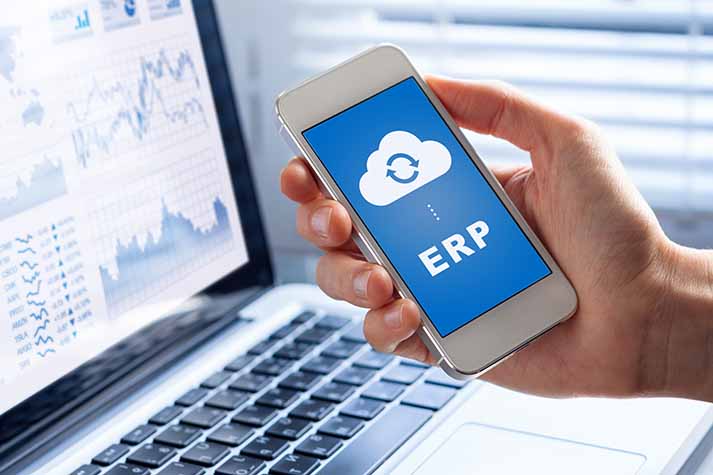
cloud erp on mobile phone

Even if you’re familiar with the term, it might be different than the last time you checked. That’s because ERP software is rapidly changing, with a major value-add to small businesses and startups.

What is ERP software? ERP stands for Enterprise Resource Planning and is a business management solution that allows companies to function within one software system.

That works just fine for a current definition. But ERP has evolved significantly over the past decade, and it continues to change. Let’s dig into a brief history of ERP before we discuss where it’s headed. And, most importantly, why your business needs it.

ERP System Origins and Evolution

According to Ken Biddick of KB Consulting Group, “ERP was the holy grail of a system limited to production and manufacturing, with nowhere near the integration functionality it has today. Purchasing, production management, inventory control, and cost accounting all tied together and reported to the general ledger.”

At the time, it was revolutionary.

Today, ERP software is both more powerful and expansive. Simply, it puts the “e” in enterprise. ERP has become a much more holistic system; though still popular in production and manufacturing, it’s no longer limited to only those areas.

ERP and People

More organizations have embraced business software technology to run their multiple operations. At the same time, the marketplace of management options has become more crowded.

As ERP software vendors have scaled down their products to accommodate other industries and smaller-sized organizations, these products have become not only viable but practical and cost-effective solutions for SMBs.

The mass migration of software applications to the cloud has further opened up the world of ERP software. Widely considered a more secure data option, the cloud has also given ERP systems the flexibility to allow for mobile and field accessibility.

In the current climate, ERP systems give smaller businesses the ability to have a virtual back office. It allows them to focus on what they do best. Organizations that use cloud ERP systems waste less time on outdated or complex management processes.

There are still plenty of legacy products available. But newer enterprise applications have leveraged an understanding of modern business processes to create flexible and dynamic business management software.

How to Know When Your Business is Ready for ERP Software

business people at starting line ready to implement erp

Whether you own a one-person shop or have a startup with a handful of employees, most small organizations tend to work the same way. They purchase solutions as needs arise.

All businesses know that accounting will be central to their operations, so business owners get the popular accounting software.

Wash, rinse, and repeat that process with every operation your organization runs, and you’ve got a pile of software applications for everything— and a pile of bills to match.

Because ERP software can solve both immediate and long-term needs, it’s worth considering in place of individual applications. Here’s why:

Process

You can use the architecture of an ERP system to frame the way you work. Because a good system gives you complete visibility, you’ll do things right the first time.

Think of it the other way around: if you’ve constructed processes that take a long time, or that rely on multiple applications to work properly, you’ll need to re-learn them all eventually. Further, if a single thing goes wrong in one application, you can bet it will affect your entire workflow.

Finances

When your business becomes profitable, that’s reason enough to get excited about your future. But if you can’t get an accurate picture of your financial information, you might end up making mistakes that don’t become clear until far into the future.

Basing spending decisions on profit alone is the killer of many small businesses. Having an accounting system that produces high-quality, on-demand reports and integrates with every other division of your company is an excellent way to ensure you make the right decisions for your future.

Time

Time Illustration

Let’s put it this way: the more reliant you are on software, the more difficult it is to change. That’s a great thing— if your software is doing what you need it to. If not, you’ll have trouble weighing the decision to upgrade due to the perceived pain and time it will take to migrate data onto a new system.

While it’s never too late to change, the sooner you can identify exactly what your needs are, the more time you’ll have to find, evaluate, and adopt a solution that works for you.

Conclusion

ERP software has come a long way since its inception. For any small business or startup organization, the takeaway should be this:

Enterprise management is no longer for only the midsize and large companies. While they used to be the only organizations that could pay for it, modern cloud ERP systems have become both flexible and affordable.

If you’re just getting started, you’re in a great position to be poised for future success with ERP software. If you’re running a small business, see how making smart changes now can make all the difference in your competitive edge.

This article is based on an interview conducted with Ken Biddick of Kenneth Biddick & Co. PC. Learn more about Ken’s accounting and consulting work.