A good email marketing campaign relies heavily on email segmentation. That’s why email continues to be the most effective channel for nurturing and converting leads into customers.
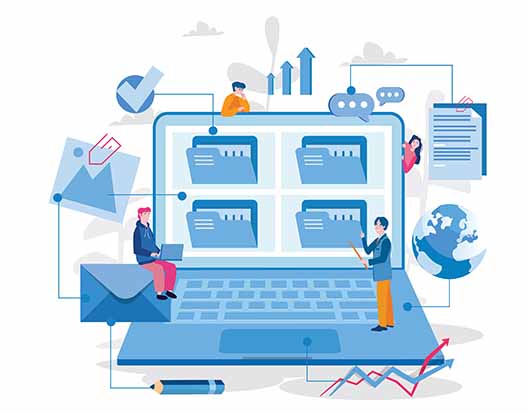
Email segmentation, as the name implies, breaks your email list subscribers into groups based on shared characteristics, demographics, or habits. Before commencing any email marketing campaign, it’s critical to segment your emails. It ensures that your leads receive highly focused and tailored content.
As a result, the likelihood of them becoming clients improves. That’s why businesses that use email marketing see a 38x return on their investment.
Despite this, 89% of companies, including B2B and B2C, do not use email segmentation. This is only one of the numerous reasons why email marketing strategies fail for so many organizations.
Don’t worry if you’re one of them!
In this blog post, we’ll go through various email segmentation tactics that you may use to segment your email list right away. But first, let’s define the term “email marketing segmentation.”
What Is Segmented Email Marketing?
Segmented email marketing is the practice of dividing your email subscribers list into smaller sections. The subscribers are segregated into groups based on some specific sets of conditions. This practice of segmented email marketing is mainly performed for increasing the engagement levels of your campaigns.
Your target audience is bound to consist of a wide variety of people who have different interests, behaviors, and digital profiles. So delivering the same old email copy to each reader simply does not make any sense.
Enter segmentation strategy! It works mainly because it involves delivering personalized content that resonates with the specific segment of the target audience. The fact that segmented emails have a 100.95% higher click rate and 14.31% higher open rates than non-segmented emails is a proof that the effort bears sweet fruits. So let’s dive right into a few tips that will help your email marketing campaigns achieve such magnificent results for your business.
1. Understand The Basics
The word “email list segmentation” is derived from the more generic term “market segmentation,” which refers to the process of breaking a target audience into logical subgroups based on stated criteria.
The concept is the same in email marketing, but you start with your email contact list rather than your entire audience. Like any other marketing campaign, you have to have a thorough idea of the basics before launching a full-fledged segmentation strategy.
To begin, you should know that there are four broad segmentation categories:
Demographic: This type of segmentation is performed based on the core identity of email subscribers. For example, you can segment based on gender or age.
Psychographic: Next sort of segmentation is done by considering specific types of characteristics or personality traits. Here you will segregate on the basis of the reader’s lifestyle or values.
Behavioral: This one’s the most prominent type of segmentation. You need to implement this for maximum engagement. Here you will group the subscribers based on their buying patterns like ticket size, purchasing frequency, and so on.
Geographic: Location-based segmentation is pretty straightforward. Here you can cater to the subscribers via the local events.
Since most segmentation strategies revolve around gathering meaningful data, the only logical next step would be to gain clarity on your data points.
2. Establish Data Points
First and foremost, you cannot create segments without data. The information that is most important to your business will be determined by the type of product you sell.
For example, if you’re in the clothes and apparel sector, gender and age will be the most important aspects to consider when segmenting your email list. However, if you’re selling a SaaS product or marketing software, you might want to know your subscriber’s industry and occupation.
Decide what client information will help you sell more productively, how you’ll organize that data, and how you’ll obtain the data. Then find a way—either by creating your own set of icons or downloading an existing icon set from the Internet—to convey those segments visually. Here, the main goal is to bring your consumers to the activation stage of sales funnel, whether that means buying something or using a certain function.
Consider this: Successfully retaining even 5% more clients could result in a 25% boost in profit. So inactivity is something you should be aware of. Focus on improving your data-gathering methods to meet your conversion goals to make the most of your email marketing.
Ponder the following three questions:
What information do we already have? – These are the segments with the lowest entry barriers.
What kind of information can we start gathering? – These are data points that you can track but haven’t arranged into useful information yet.
What information do we require? – This is information that you must directly seek from your users or devise a method to gather.
3. Etch Out User Personas
Customers who fit perfectly into a company’s sales funnel are well-known to all businesses. If you provide eCommerce order fulfillment services, for example, an online store fits neatly into your funnel.
However, if a college student signs up and becomes a subscriber, your prospects of making a sale are reduced on several levels.
As a result, determining your buyer’s persona appropriately is a crucial step in segmenting your email lists. To put it another way, you’re developing the personality of your ideal consumer.
Identifying your customer’s persona serves as a starting point for developing critical messaging. To define your buyer’s persona, use the following checklist:
Examine your customer’s demographics
Look at your clients’ preferences, their behavior, the things they’re interested in, and the date they signed up
Determine the primary issues that your clients are experiencing
What are your options for resolving these issues?
4. Leverage Relevant Email Copy
It’s time to write your email after you’ve created your first set of email lists. You must generate content that is well-tailored and customized for your segmented email groups.
You don’t have to write a completely new email copy for each segmented list. Instead, change the material in your email copy to fit the target groups. After all, personalization in email campaigns can increase your revenue by 760%.
To perfect their email lists, most businesses conduct numerous rounds of tests.
Another aspect of segmenting your email lists is to aim for hyper-segmentation. It’s quite straightforward. You send a few email campaigns to your first email lists to see how they respond. You could identify gaps in your segmentation process by doing this exercise.
But don’t underestimate the difficulty of this task. You must write emails that are relevant to your target audiences. Sending too many emails may end up in your recipient’s spam folder.
To save time and money, consider using a free AI writing solution that can help you create effective emails tailored specifically for each segmented list.
Wrapping Up
Now that you’ve learned the ropes, it’s time to move away from generic emails and toward more personalized interactions with your subscribers. Begin by selecting one critical variable that distinguishes different segments of your audience.
You may then tailor your campaigns to meet their various requirements. Even modest tweaks to your emails can improve their effectiveness, resulting in increased engagement and conversions.
In a competitive market, high-quality businesses and their employees rely on established and practical systems to assist them to rise above the competition. Inventory software continuously improves and monitors, integrates, channels, empowers and monitors warehouse processes to ensure businesses will avoid unfulfilled orders and the misuse of necessary time.
Without tracking the amount of inventory a business has, where each item is located, and forecasting an accurate quantity needed for future sales, a company will fail to turn a profit and generate growth. As a result, inventory management software rids a successful business owner of the tedious time spent tracking inventory with pencil and paper and replaces this process with more efficient technology to track when shipments arrive, where raw materials are, and when products are on the move.
Multiple types of businesses use inventory software, equipment inventory software, or even warehouse inventory management software to raise their business to the level of which they previously only dreamt of doing. In a simplified example, an individual company owner may have various suppliers and could be working on an ad-hoc basis in terms of their supply. How long can they maintain effective business practices under these conditions solely using spreadsheets or other less efficient methods of inventory tracking? The answer is that it is more effective, both in cost and time, to use an all in one inventory management software that serves you and your business to ensure that inventory is not over-ordered nor under-stocked.
Inventory Management via Inventory Software
The first step for small and growing business owners after acquiring their inventory is to sell their product to the market. However, this process may be overwhelming, especially when attempting to manually input and interpret your inventory levels and order flow. Having a clear and accurate view of your ROI is integral for all businesses, so inventory software is an obvious choice for any type of business owner that is looking for a better way to track this data. Inventory software controls stock levels, saves space, maximizes the value of labor, satisfies customers, and reduces the use of other fixed assets to also save you and your business from unnecessary costs.
The Cost Of Inventory Software
Most inventory management software is cloud-based and will not necessitate the individual to maintain servers, hire an IT staff, or make other excessive hardware purchases. All of the servers and necessary equipment are managed by the software company itself, saving companies a lot of money, time and energy.
The cost of cloud-based inventory management software is based on a monthly subscription rate, but it is also determined by several other factors, including the size of your business. Retail point of sale software (POS) may be a starting point for most businesses, but when your business is ready to grow and scale, many businesses find that POS software alone is insufficient. This is because POS systems solely keep track of sales and accept payment from customers, which ignores tracking inventory, establishing the quantity and time that inventory needs to be reordered, effective inventory turnover, and does not mitigate human error by automating tasks that help to fulfill sales quickly.
Approximately 46% of the businesses surveyed in Wasp Barcode’s State of Small Business Report fail to track inventory and/or use manual processes. Those companies are not receiving the same benefits in relation to maintaining competitiveness in the marketplace, increased efficiency, saving money in the long run, and freeing up employees to do less monotonous tasks.
Inventory Software’s Role in Inventory Turnover
A key metric for all businesses is inventory turnover: the cost of goods sold divided by the average inventory on hand. If the rate is too low or too high, a business is in danger of overstocking, not meeting consumer demand, and dealing with the deteriorating value of stagnant products on a shelf.
Podium LLC, a manufacturer based out of South Carolina, saw their inventory counting time decrease by 90% when taking advantage of an inventory management solution.
Inventory software helps businesses meet their desired inventory turnover ratio by providing inventory tracking, effective and time-efficient reordering, and accounting integrations which serve to prevent double-entry of data and automate yet another task that can free up time to focus on other needs for your business.
Takeaway
Inventory software is the most effective manner in which a business can successfully manage maintaining proper inventory levels while maintaining high levels of customer (and employee) satisfaction. It can provide business owners with the ability to spend their time doing other tasks besides manually organizing their spreadsheets or over ordering products that are not necessarily needed in bulk at the time. Inventory management software acts as a digitized assistant, allowing for professionalism, profitability, and efficiency to shine through where, without it, only ambiguity and indecisiveness are present.
In the current business management software market, Zoho produces a variety of applications—some bundled into an all-in-one suite—that provide a variety of CRM, accounting, and other business management software solutions.
Though many businesses benefit from the suite of products that Zoho offers, is your business getting the most possible value that it can from Zoho? Disconnected apps and separate systems can be inefficient and expensive. While Zoho One offers all of these apps under one account, they are still a suite of individual applications rather than a single, all-in-one application.
Business needs vary by industry, size, and a host of other factors. Even businesses within the same industry need different solutions, or solutions custom-tailored to their specific needs.
Zoho and its vast suite of applications work well for businesses that are considerably large in size, and some smaller, growing businesses have found Zoho to be suitable for their needs. But when it comes to your business, do you want a solution that merely checks all the boxes or a solution that is custom-tailored to your business needs in order to thrive?
In this article, we’ll cover the advantages and disadvantages of Zoho and what benefits your business might see from exploring Zoho alternatives that are on the market.
What Is Zoho?
According to Zoho’s profile on Capterra, Zoho is a suite of 40+ applications with complementary mobile apps that allow a business to reach customers, grow sales, manage accounting, and increase workflow efficiency.
Zoho One, the package that includes all of the various Zoho applications, is billed as a way for users to be streamlined and connected by utilizing a single login to connect to all of the different applications.
In terms of pricing, Zoho offers a variety of plans based on the total revenue and number of employees. In addition, pricing can vary drastically depending on which modules are selected. Some estimates of Zoho’s pricing suggest that smaller businesses can expect to start their plan at around $14/user per month while the highest tier package is $57/user per month.
Advantages of a Zoho Alternative
While Zoho, Zoho One, Zoho CRM, and the rest of the Zoho suite contain useful tools that help businesses manage their products and assess profitability, they’re not always the right fit for every business.
Zoho Alternatives are Affordable for SMBs
The cumulative nature of micropayments coupled with the à la carte model indicates that paying for individual apps and functionalities can get expensive over time. Sure, it’s possible to only pay for certain apps, bringing the price down considerably. But when it comes to managing all of the mission-critical segments of a business, just a few apps and functionalities may not cut it.
For growing businesses, getting the most value for their money is more important than ever. Some Zoho alternative platforms shy away from the application/module model in order to give growing businesses all of the tools they need to run their entire business, all in a single connected software platform.
Zoho Alternatives Provide Elite Customer Support
When it comes to features to prioritize in a Zoho alternative, even non-technical features are important to consider. For example, finding a Zoho alternative that maintains an elite standard of customer service (at no or low additional cost) is crucial.
No matter the quality of the software, errors always occur. And in reality, users will always have questions about the system they are working in.
Zoho offers several support plans for an additional fee, which can get very expensive for growing businesses. In addition, some Zoho modules—notably Zoho CRM—have below-average customer support rankings while other, all-in-one business management systems have stellar customer support scores.
Though it may be tempting to opt to go with a large-scale platform, it is often the case that many smaller, all-in-one business management software companies provide better—and 100% U.S.-based—customer support.
Customizations Are A Breeze With A Zoho Alternative
Every business is unique. With large-scale, widely used applications such as Zoho, customizations can be difficult to implement. While not always the case, some Zoho customizations require some level of coding.
For small and growing businesses, having to code (or having to pay for coding services) can skew drastically out of budget. Beyond that, having a single, dedicated, familiar customer champion working with your team can be the difference between successful software adoption and the painful realization that you need to rethink your initial software partner selection.
A Unified Business Management Platform
The post-Pandemic work world has changed and continues to evolve at a fervent pace, and technology has never been more crucial to the success of every business. The importance of having top-shelf, all-in-one business management software has never been greater.
Running a successful business is challenging enough when your technology stack is running smoothly and efficiently. Speedbumps like erroneous data, complex user interfaces, and technology that simply does not allow for ample, on-time communication only make things tougher.
While the Zoho suite’s individual applications perform very well on their own, it turns out their biggest drawback is that they do exist on their own, not fully integrated with one another. Not only do additional modules require additional investment it also requires more advanced technical support, additional time spent learning how to properly integrate data, and additional time spent ensuring accuracy across multiple systems.
Having all of your business processes—accounting, inventory, sales, marketing, projects, HR, operations, and more—working seamlessly as a complete, unified software platform will improve your business’s overall performance by increasing efficiency, accuracy, and scalability.
Striven – The All-In-One Business Management Software
Out of the numerous Zoho alternatives on the market today, Striven has been recognized as one of the industry leaders in terms of affordability, quality of customer support, and overall ease of use. Check out what everyday users have to say about Striven.
While some large-scale business management software providers like Acumatica may be a good match for large-scale, Fortune 500-sized companies, Striven understands that not every company needs a system that’s quite as technologically bloated—and one that doesn’t require breaking the bank.
The importance of having all of a business’s core processes housed in a single platform has never been greater. Instead of hoping that various software modules can successfully and efficiently interact with one another, it’s important that businesses are able to view everything that they need from a single dashboard. (Hope has rarely been a successful business strategy.)
For small- and medium-sized businesses to be as successful as their large-scale counterparts, this level of visibility allows businesses to harness the insights they need to corner a larger share of their respective market. Remember, technology is a strategic competitive advantage for any business regardless of size.
Wrapping Up
Software needs to be flexible and anti-fragile. It’s true in terms of business just as it’s true in terms of technology. There’s no one-size-fits-all solution to success—every business and business plan needs a solution to fit their specific needs.
Many small and growing businesses have a tendency to lean towards a product like Zoho based on its global reputation. But, it’s important to recognize that just because this product works at such a large scale doesn’t necessarily mean it’s the right fit on a smaller scale.
Striven provides the same high-quality software and customer support as some of the larger ERP names on the market while being more affordable for the average small- and medium-sized business.
Business expense is a touchy subject. It’s not always easy to know how much to spend, or even what to spend it on—especially when it comes to new technologies. Ultimately, when it comes to business management technology, the true financial risk comes from sitting on the sidelines.
The Aberdeen Group reports that small businesses that implement ERP, CRM, and other business management technologies reduce operational costs by 23%, administrative costs by 22%, and increase on-time deliveries by 24%.
Overall, 95% of businesses surveyed achieved major improvements after utilizing interconnected module ERP software.
Despite many small business executives being aware of the positive financial impact that utilizing business management solutions can have, it’s common to still be wary about actually diving in head first and implementing these solutions.
Some common questions that small business owners ask themselves about business management technology would be:
“How do I know what technology can support the unique components of my business?”
“With so many different solutions on the market, how do I parse through them?”
“Will the perceived discomfort of implementing this technology be worth it?”
“Is my business big enough to warrant the use of a business management software solution?”
Answers to these questions are never immediate or obvious. It takes time to research, analyze, and find the best fit for your company—but first, you need a plan:
How To Know When It’s Time To Invest In Software
1. When Scheduling Is Going Awry
Businesses use all kinds of apps for scheduling. Google provides handy calendars, and many people simply use the calendar built-in on their phones. And yes, physical calendars hanging on the wall still exist, too.
While there’s nothing inherently wrong with these types of calendars, it becomes an issue when they become out of sync. Some employees work remotely, some are constantly in the field, and others simply don’t adhere to the conventional 9-5.
Having to constantly ask “Are you free to meet at ___?” becomes an inefficient and unproductive use of time when multiplied across an entire organization every single day. This doesn’t take into account the importance of scheduling meetings with customers and others outside of your company.
It’s important to have a single, accurate, universal calendar that you and all of your employees can access from anywhere. It should contain all of the various tasks, milestones, and time-off considerations needed to have a streamlined workday free of confusion and schedule conflicts.
2. When Remote Work Becomes Challenging
Since 2020, remote work has evolved to change the way businesses operate. Many employees report higher levels of productivity, reduced stress, and financial freedom when they’re able to do their jobs from home—or, really, anywhere that isn’t the office.
While remote work has by and large been a benefit for businesses that have been able to make such a transition, it hasn’t come without proper planning and management.
HR departments need to adjust their practices, project management strategies have to adapt to geographically scattered employees, and customer relationships need to be maintained in new ways—the list goes on. At the heart of the way that these new norms come to be is the technology used to facilitate them.
3. When You Spend Too Much Time On Tedious Tasks
Mundane tasks are often important tasks but that doesn’t mean you should be spending a disproportionately large amount of time on them. Put another way, there are often smarter ways to tackle these kinds of tasks.
Automation is one of the key benefits of business management software. Tracking inventory, managing employee certifications, accounting, and even market campaigns are some of the areas where software can benefit your business.
4. When Growth Is Imminent
While you don’t have a crystal ball to tell you exactly when your new customers will roll in, there are ways to know when growth is on the horizon. The cumulative effect of the work you and your employees have been doing for years eventually pays off. Sometimes it takes months, other times it takes years. But if you don’t properly plan for the success coming your way, you’ll be behind the curve when it comes time to manage a higher volume of business.
As the old adage goes, “Dress for the job you want, not the job you have.” Look at business management software in the same light—invest in an ERP for the company you want to grow into, not for the company you are at this very moment.
5. When Your Decisions Are Solely Gut-Based
Many small business owners rely on their intuition to make decisions. Entrepreneurship is full of success stories that come from decisions based on “gut feel.” While this can be effective when a business is just starting and has no data to pull from, it’s a whole different ball game when it comes to making decisions once years and years of data is available.
For example, take Walmart. Not a small business, obviously, but every business starts somewhere. In Walmart’s early days, they were suffering setbacks by selling products at such a low cost that it wasn’t profitable. To paraphrase Sam Walton’s gut instinct, “If I offer the lowest prices, I’ll eventually generate the highest volume.” Obviously, this paid off.
Flash forward to today. Do you think that the executives at Walmart are making their decisions based on gut instinct alone? While they certainly rely on human intelligence, they more importantly rely on swathes of customer data, sales figures, production trends, material costs, and countless other data points.
While you won’t necessarily have billions of dollars to throw into an R&D department, you do have the option to utilize business management software to help guide you to better, more data-driven decisions.
6. When You Need To Pay More Attention To Customer Relationships
Reaching potential customers is hard, conversions are even harder, and retaining a regular customer base is the hardest of all. It’s easy to get excited about customers arriving en masse. But in reality, is your sales and administrative staff logistically prepared to handle a large influx of customers?
One of the biggest benefits that business management software can offer a growing company is the ability to automate parts of the sales funnel. The human touch is still crucially important to the process, make no mistake—that’s exactly why it’s crucial to adopt automation technology.
Automating email campaigns, customer surveys, and the inputting of sales data within your system will allow the people within your business to direct more human attention to the people deciding to purchase your product or service, not to the back-office work done behind the scenes.
7. When You Need Data Redundancy
With many staff members across all industries routinely working remotely, data security has taken on an increased level of importance. Hopefully, even if your business’ files are stored on a local hard drive, you have some sort of data protection and/or backups in place.
If this isn’t the case, or your backups are located on scattered flash drives and external hard drives, it may be time to invest in the cloud-powered data redundancy technology that business management software offers.
Cloud storage is the safest way to back up your most precious data and documents. Decentralized across multiple servers and protected by world-class encryption technology, your data will be actively protected by security professionals.
In a 2021 study led by IBM, the average cost of a small business data breach for companies with less than 500 employees was $2.8 million dollars. Needless to say, this is a cost small businesses simply cannot afford.
8. When Your Employees Are Burnt Out
Work-related stress is going to happen with or without business management software. That’s just a fact of life. Meeting project deadlines and landing a big customer may always be stress-inducing events, but the methods by which those goals are accomplished don’t always have to be stressful.
Issues like missing documents, faulty financial data, and communication breakdowns don’t have to add stress to an already stressful professional workload. If your employees have voiced any of these concerns—or if you’ve felt them personally—take that as a sign to explore some business management software solutions.
9. When Compliance Measures Take On Increased Importance
Whether it’s meeting OSHA requirements, getting documents ready for tax season, or just maintaining general legal compliance throughout your operations, it’s financially and fiscally prudent to stay ahead of the curve when it comes to keeping things organized.
Having trouble locating this data, let alone losing it outright, can cost you and your business in both the short and long term.
If your business is able to keep this data centralized and easily accessible to all necessary parties, you’ll be able to find information and make updates quickly without having to delay any contracts, miss tax deadlines, or lose any customers.
10. When You’re Spending Too Much On Technology
There will always be some costs that will be unavoidable. Computers eventually get old, cables eventually fray, and interns eventually spill a pot of coffee all over the keyboard. It happens.
What doesn’t have to happen is the large-scale purchasing of equipment such as servers and software on a routine basis. Sure, software upgrades always occur no matter the type of software you’re working with, but it doesn’t always have to come in the form of a massive expenditure.
Most business management software bills on a monthly basis, with software routinely being upgraded on a monthly or quarterly basis. When it comes to expensive servers, you can cut them out entirely. Powered by the cloud, the cost of maintaining servers falls on the service provider, not you.
Where To Find Reliable Information
Finding reliable information is one of the most challenging things about today’s hyper-digitalized society. When it comes to making big business decisions, it’s important to act off of smart and reliable information.
Beyond the basic subscription costs and features, it’s important to dig into some of the finer details about the software you select to manage your business operations. Onboarding, implementation, and training costs, customer support packages, and verified user testimonials are just some of the pieces of information to consider throughout your search.
Fortunately, there are trustworthy websites dedicated to helping businesses like yours make the smartest decisions possible. When it comes to your business, you can’t be too thorough.
G2
G2.com is an industry leader in all things software—they’ve compiled over 1.5 million authentic software reviews for ERPs, video conferencing solutions, eCommerce platforms, and much more.
Their goal is to help businesses make better decisions about technology. You can break down the pros and cons of each software listed on their site as well as compare prices and features between various software solutions.
One of the greatest advantages that G2 offers is the way that it displays its user reviews. Users are asked about the pros, cons, and overall “whys” for each respective software title, and users also list the type of business they represent, what industry they serve, and how many employees are in their organization.
For example, there could be lots of glowing reviews about a software solution that primarily services large-scale manufacturing companies. While this software is great, it may not be great for your business, which, for example, could be a small catering company with 20 employees. Knowing the specifics of the businesses behind the reviews makes all the difference.
Capterra
Capterra.com is another industry-leading software review website that has compiled over 1.5 million verified reviews in over 800 software categories.
Their mission is to list every software product on the market so that every business can adequately search for its perfect software match. Founded in 1999, they’ve always been one of the leading free resources for software reviews.
Capterra breaks down its user reviews into an intuitive format. It asks users about the pros and cons of each software product while gathering a 1 thru 5-star rating in 5 categories—overall rating, ease of use, customer service, features, and value for money. It also lists a “likelihood To recommend” category that’s based on a 1 thru 10 scale.
Another great feature that Capterra offers is the ability to see what software alternatives users considered before settling upon their final choice, and what software they had previously switched from. With so many solutions available, it’s very helpful to have this firsthand knowledge.
Custom Demos
When it comes to software, the best way to see if it’ll work for you is always to try it yourself. Fortunately, that doesn’t require diving headfirst into a contractual commitment.
Most reputable software companies will offer you a free, custom demo of their software. It’s important to know that certain specificities within your operations can be accounted for.
For example, accounting software that doesn’t offer the ability to translate financial metrics into Canadian dollars may not be a good fit for your manufacturing business that has several clients in Canada. Or, if your business works on government contracts, you’d want to make sure that certain data can not be viewed by certain users within the system.
Even if your business is a somewhat run-of-the-mill operation, getting a demo of the software is a great way to ensure that the user experience, onboarding processes, and data management tools are up to far for the requirements you set forth.
How To Pick The Right Fit For Your Business
So far we’ve covered when it’s time to start looking for business management software solutions and where to find the best information. Now, it’s time to explore how your business can pick the software that’s the “right fit.”
“Right fit” is a somewhat ambiguous term. It means different things for different businesses, even within the same industry. To put it another way, finding the right software fit is a lot like exploring the dating world.
Don’t judge a book by its cover, ask the right questions, and steer clear of red flags. It’s also important not to compromise what you want. Just like in the often chaotic, yet often wonderful world of dating, there are some general guidelines to keep in mind. But don’t forget, the right matches rarely fit inside of a broadly definable box—they require you to decide what you want and to make it happen.
Accounting Needs Accounted For
We’ll start with accounting because, well, it’s always about the money. It’s certainly not the only facet of software that’s important, but it’s something that’s universal among all businesses. And quite frankly, some software solutions do it better than others.
Strong reporting functionality, connectivity to the cloud, and automation capabilities are some of the “must-have” boxes that need to be checked off for competitive, modern business management software.
It’s also important to have a system that can be easily accessed by your customers and vendors. This way customers can pay invoices online, vendors can submit purchase orders and submit bills, and a full record of all transaction history can be pulled up with a click.
In today’s professional environment, it pays to utilize the best technology available—businesses that use cloud accounting software acquire five times more customers than businesses that don’t. Five times! Not only do the automation capabilities that come along with cloud accounting software reduce costs and increase efficiency, but customers will also feel better about trusting a company that trusts the best software on the market.
Project and Task Management Is A Breeze
At the end of the day, what does your work boil down to? The small tasks and projects that comprise the larger work that you do year after year. As a business owner, your job is to keep the big picture in clear view while still maintaining a firm grasp of what needs to be done on a granular basis.
With the right project management software, you’ll be able to do just that. It’s more than just assigning tasks and responsibilities, it’s about assigning the right people to the right jobs, keeping customers in the loop, and managing changes on the fly.
The best way to manage projects is by utilizing a microscope that can adjust from a wide-ranging, zoomed-out point of view to a hyper-specific, zoomed-in view and everywhere in between. Obviously, this is a metaphor for being able to manage both the big picture and granular details (unless you’re a scientist or something, then you can take this literally.)
Right now, only 22% of businesses take advantage of project management software despite the fact that 77% of high-performing projects undertaken by businesses put project management software to use. Project management capabilities are one of the many ways that business management software can keep your business ahead of the curve.
Top Notch Customer Support
Even high-performing software is only as good as the people behind it. It’s a lot like the food service industry—a restaurant could have the tastiest menu in the world, but if your waiter screws up your order and brings out a cold plate of food, it’s hard to say that this restaurant delivers upon its potential.
Business management software falls under the same ideological umbrella. The system could be top-notch from a technical perspective, but if the customer service and implementation teams do not properly assist your business in unlocking its full value, then it isn’t likely to be the best fit.
Even in our tech-centric world, it still takes a proper human touch for a business to succeed using a business management software solution. Every business is unique—developing a relationship with the people behind the software to make sure that the software accommodates your needs is a crucial aspect of success.
All-in-all, customer service and support is crucial. 90% of Americans take customer service into account when deciding whether or not to do business with a company, and 89% of customers are more likely to make another purchase if they have a positive experience.
Wrapping Up
Making decisions—especially large financial decisions that affect your entire business—is never easy. There are so many variables to take into account. And once you’ve taken all of those variables into account, you’ll find even more to consider.
At the end of the day, it comes down to knowing what your business wants and needs and conducting a thorough research process to seek out solutions that accomplish your goals. Business management software is never a one-size-fits-all solution for every business, but with the right tools, you can find the one that fits you and your business.
Technology—namely business management technology—has a unique impact on every small business. Drilling down one layer deeper, technology has a unique impact on every employee and customer. Drilling down yet another layer, technology has a unique impact on every single action (and non-action) taken by every employee and customer.
Technology plays a vital role in shaping and defining the way a small business operates, at levels big and small.
Just as technology has a unique impact on every small business, every business is also unique in where it stands in terms of its respective technology life cycle. At some level, every business is at a different stage of digital transformation.
A study conducted by Deloitte found that nearly 80% of small businesses are not taking full advantage of the digital business management tools at their disposal.
Some businesses make the most out of using the bare minimum level of technology (i.e. Microsoft Office, Google Drive, basic shared calendars, etc.) while others have adopted various ERP, CRM, and marketing technologies. Chances are, you find yourself somewhere in between. Even if you’ve only begun to scratch the surface in researching integrated business technologies (kind of like what you’re doing right now) you’re well on your way to the top of the small business technological adoption curve.
Before you arrive at the moment of “Yes, that’s the technology I want and need. Let’s put it to work,” there are a few things to consider. It starts with taking a step backward and performing some holistic analysis of your business as it is, and your business as you want it to be in the future.
Assess The Status Quo
Before you can start assessing the future of your business and the way that technology will have an impact on that future, you need to take account of your business as it stands currently.
Not just the technology used in your operations, but the logistical processes, financial decisions, employee roles and responsibilities, and anything else that has a meaningful impact.
Take note of every detail. Not just your inventory and related physical components of your business, but the intangible ways you go about your day, the ways your employees go about theirs, and everything in between. Analyze what’s being done on a daily basis, and what isn’t.
You’ll most likely find that the insights you uncover will range from good to bad and everything in between. Let’s go over how you should handle each:
For any positive findings about your business’ status quo that you uncover, you want to leave those mostly untouched. However, it’s still important to keep in mind the ways that technology could improve upon them. Just because these findings are positive in the current moment doesn’t ensure that they will stay that way forever as your business grows.
For any negative findings, it’s important to launch a full-scale revamp. Why and how are these findings hindering the overall health of your business? Is it a human, logistical, or technological problem? Is it a combination of these factors? This is where it becomes critically important to take a step back and figure out exactly what can be done at every level big and small.
Aside from sitting down with everything involved in the aspect of your business that you’ve found to be a hindrance, one additional decision you could make would be to contact a professional business technology consultant. They will be able to provide you with an objective perspective of your business while at the same time providing you with expertise in terms of how technology can help alleviate the problems at hand.
Create Goals
The changes you make within your small business—technological or otherwise—are only as good as the reasons why you’re making those changes. Change for the sake of change doesn’t cut it. Meaningful changes that serve a bigger purpose with an easily quantifiable end result will prove to be changes worth making.
That being said, what are the goals that indicate success for your business? If and when you achieve them, what are some other goals you will outline each and every day in order to maintain that success? At what point will you be devising new goals to accomplish?
Obviously, generating a higher revenue is the end objective for every small business. The goals involved in getting to that final destination are what will vary. Selling more products, hiring additional/specialized staff, and acquiring better leads are some of the typical means to this end.
A major component of goal setting isn’t just about defining the objective you wish to achieve—it’s about setting smaller, more granular goals on how those overarching goals will be accomplished.
For example, if your large, overarching goal is to acquire more customers, your granular goals should look something like this:
Develop valuable, gated content on your site that contains relevant search intent
Use project management tools to define your budget and medium(s) for marketing the aforementioned content
Utilize automation technology to send automated emails and drip campaigns to prospect information collected from the gated content
Ensure that a system is in place where all sales staff have access to up-to-the-minute information on leads
Ask for and analyze customer feedback on sales staff/process/experience in order to figure out what’s working and what can be improved upon
Be able to quickly view daily, monthly, quarterly, and yearly sales figures at a glance
Not every list of goals that your business puts forth will look like this. Some may include many more steps, some fewer. However, using this framework of focusing on the process minutiae in order to accomplish the larger objective, you’ll be able to hone the best technologies and processes to accomplish your goals.
Data Flow Between Systems and People
Even the most basic small businesses have several departments. Executive-level management, accounting, field employees, mid-level management—the list goes on.
Every department needs to communicate and collaborate with one another. Interdepartmental communication has always had its challenges, but given the drastic increase in some employees working from home while others are not, these challenges have been exacerbated.
The flow of time-sensitive information not only depends on the people involved, it now further depends on the technology used to effect that communication. Think about your own business. If tasked with retrieving information from another department, how long would you anticipate it to take to receive that information? Minutes? Hours? Complete uncertainty?
If the answer is anything above “just a few minutes” your department may find itself working in an information silo. Odds are, if one department finds itself here, they all do.
Data silos aren’t some malevolent concoction drawn up by a disgruntled executive looking to inflict stress on his employees. They are simply a natural result of business process development. People primarily work and share information and collaborate with people in their immediate cluster of co-workers. While it’s not anyone’s fault that data silos exist within your organization, it doesn’t mean that they don’t cause problems.
Areas Negatively Impacted By Data Silos
Productivity
Even in the most segmented businesses with the most specialized, sequestered employees that don’t share many commonalities among the tasks they perform (think accountants vs crane operators) there will be data that must be shared across departments.
The longer it takes to find information, the longer it will take to complete tasks. Simple as that. Over time, this will cause backlogs, delays, and other inefficiencies that will have a negative trickle-down effect across your entire business.
Data Accuracy and Analysis
When you were younger (or as an adult, we don’t judge) have you ever played the game “whisper down the lane?” Sometimes, the game is also called “telephone.”
If you’re unfamiliar, the objective is for the first person in line to privately repeat a phrase to the next person in line, with every person in line privately repeating it to the next person, eventually making its way to the final person in line. Nearly every single time, the phrase is slowly—yet unintentionally—manipulated and altered so much so that it barely resembles the original phrase uttered by the first person in line who conceived it.
When small businesses don’t have a single, centralized, data storage and communication hub that contains a single, accurate version of the truth, this same phenomenon occurs. Disconnected email chains, handwritten notes, and duplicate files are just some of the many ways that data can be misinterpreted as it passes from one person to another.
Culture
Beyond the technological component, communication between departments is also largely dependent on the interpersonal relationships developed between employees.
Working from home, this has become a challenge, but a far from impossible one to meet.
Regardless of geographical circumstances, members of departments often cling to their data out of fear that it will be altered by someone lacking appropriate skills or context. While taking ownership and pride in work is important, it’s just as important to have trust in members of other departments when handling data.
When projects, documents, or other relevant information needs to be handed off to a different department, it’s important for employees to recognize that that data is safeguarded and that a proper history of edits and alterations can be recorded. A little healthy competition and chest-puffing between departments isn’t always a bad thing, but it’s important that constructive collaboration is always the top priority.
Wrapping Up
Digital transformation sounds complicated because, well, sometimes it is. Taking a step back to take a holistic look at everything going on within your business will certainly shed some light on things you were unaware of before. That’s a good thing—albeit sometimes painful if not all of those things you find are “good things.”
Technology impacts everything. From the little things people do when they clock in each day to the year-over-year goals and strategies you put forth, technology can be a catalyst to make sure your business is operating as efficiently as possible.
The great thing about integrated business management software technology at the core of your business is that it has a cyclical, reverberating effect—it allows your business to run more efficiently which streamlines your workflow, therefore creating more productivity among your employees, which allows your business to run more efficiently, which streamlines your workflow…you get the idea.
No business is alike. Products, customers, strategies, and everything in between all vary to certain extents depending on your industry-specific needs and business ethos.
What all businesses have in common, however, is the environment in which they operate. The world is becoming increasingly digital, synchronized, and competitive. Enlisting the right all-in-one business management software for your business will help you stay ahead of the curve.
Here are the most crucial and consequential ways that all-in-one business management software can provide a tangible benefit to your business operations.
1. Automated Workflows
The benefits of workflow automation are wide-reaching. Not only will the processes that you’re automating be improved, but your productivity in other areas will increase as well.
If you’re spending less time manually entering, checking, and duplicating data sets because your all-in-one business management software is capable of automating that process, you’ll be able to focus more on creative, high-level tasks that require more human attention.
2. Eliminate The Need For Internal IT Expertise
Safeguarding your business against technical malfunctions and cyber threats starts with investing in the proper technology.
No business is unique—true cybersecurity and individual business success can’t be achieved with a “one-size-fits-all” approach. This is why you’ll require software that can mold to the contour of your business’s specific needs.
All of your employees should be operating, communicating, and sharing documents under the same umbrella of security. With a dedicated software support team ready to work toward your business’s specific goals and needs, you’ll be prepared for any technical malaise that comes your way.
3. Save Money (Not Just On Software)
One of the biggest benefits of all-in-one business software is the cost savings. The software savings are apparent—paying a predetermined monthly rate for a single software solution allows you to spend less on various other disconnected software solutions.
Outside of the actual software savings, you’ll save money via increased financial visibility, smarter data insights, and more streamlined supply chain management.
4. Scalability
Growth arrives quickly—it pays to be prepared ahead of time. Though your business may not be bringing in billions of dollars annually, your all-in-one business management software can function the same as the solutions that those companies use.
Over time, your customers, inventory, employees, revenue, and almost all other facets of your business grow. Developing the right processes from the beginning will pay dividends down the line—playing operational catchup as growth continues upward will inhibit financial progress.
All-in-one business management software provides SMEs with top-notch, industrial-grade security features: data redundancy, dual-factor authentication, testing environments, and cryptographic privacy. Look for a software solution that provides a 99.99% uptime guarantee.
6. Better Document Management
For businesses of all sizes, keeping paper records means something is going to get misplaced. And loss is only the tip of the iceberg: a typical office worker uses 10,000 sheets of paper each year—it’s wasteful, time-consuming, and unnecessary.
Keep a centralized, unified document management system that can be accessed from anywhere. You’ll be able to find documents faster, secure them more easily, and generate custom reports about the data within your system. Not to mention, you’ll save plenty of money on ink and printer-related costs.
7. Smarter Business Decisions
The best business decisions are made from comprehensive, data-driven metrics. Gut instincts are valuable, but data-driven decisions reign supreme. By allowing technology to guide and assist you along your decision-making process, your business will reap tangible benefits.
You’ll be able to reduce spending costs, make faster decisions, and generate on-the-fly improvements based on real-time, accurate data. The best data comes in the form of custom dashboard reporting generated regarding up-to-date inventory levels, real-time customer/vendor transaction history, and the current job status of employees dispatched in the field.
Your employees are the lifeblood of your organization—it’s crucial to establish a pipeline of qualified talent no matter the industry you service. By incorporating this process into the software that handles the rest of your business’s processes, you’ll be able to make the most profitable hiring decisions.
Within your all-in-one business management software platform, you’ll be able to have a streamlined application tracking system by creating new job postings, adding interview notes, designing personality assessments, and storing all pertinent candidate documents.
9. Continuous and Custom Software Development
No business is unique—one of the most crucial tools that all-in-one business management software offers is the ability for businesses to tailor the software to their specific needs. Not only is it important for businesses to have customizable interfaces based on specific industry needs, but it’s also just as important to incorporate a software solution that allows for custom, personalized development.
The best software solutions have active development teams that are constantly improving their product. Customers should be able to influence and provide feedback as to what improvements in functionality need to occur. Software personalization is becoming more and more commonplace these days.
10. Build Better Relationships with Customers/Vendors
Getting the most out of customer (and vendor) relationships requires a comprehensive system that supports your sales team to make sure they never miss an opportunity, all while assessing productivity and profitability.
All-in-one business management software offers features that can boost the effectiveness of your sales team such as sales funnel and marketing automation, full spectrum sales pipeline visibility dashboards, and feedback-garnering tools such as surveys.
Wrapping Up
No matter the industry that your business operates in—manufacturing, field services, or any other—your business can advance from incorporating these 10 benefits of all-in-one business management software.
Every business has a different number of employees, different products, and different methods at which they go about the core principles of business. But for all of the differences that businesses share, they share much more in common.
In fact, most businesses share commonalities throughout their maturation process in terms of the warning signs that it might be time for them to adopt an all-in-one software solution.
All-in-one business management software is developed to make your business better, in whatever way that you see fit.