

customer data Archives - Page 2 of 6 - Striven

5 Important Management Software Features You Need To Start an Online Business

Setting up an online business doesn’t have many barriers, but maintaining the business requires substantial effort, especially if you want to scale up. To deal with the complexities of business management, you can embrace technology that streamlines workflows and improve your operational efficiency. Investing in good software will help you save time on repetitive tasks and push your business to go faster. Let’s explore the benefits and the 5 most important management software features that help online business owners achieve their goals.

Why Do You Need A Management Software?

Business management software can support you in various aspects of both internal and customer-facing work. It can be a system for retail store management, inventory management, content and social media management, employee scheduling, analytics, and accounting.

Controlling the full spectrum of the business on 1 platform provides you with data centralization and consistency. Here’re the benefits of management system: 

  • Ensure alignment for different teams: Since all data and documents are synced in 1 place, your employees can get access to the latest data and avoid discrepancies.
  • Standardized processes: Software is the digital solution to control business. It simplifies processes, makes sure people know their jobs and can access the resources they need.
  • Automate tasks to save time and money: Automation is the best way to scale up with minimized human resources. It eliminates human errors and saves time on manual tasks, thus freeing up your employees for more important tasks that improve the products and customer experience. 

5 Features To Expect In A Business Management Software

As an online business owner, you need to control your remote teams and offer outstanding services to customers. To do that, here are the 5 management system features you need:

1. A simple and secure payment process

When customers place an online order, simplicity and security are their foremost requirements. To attract more online shoppers, you must provide a seamless payment process for your site. People want a safe and simple way to make purchases. Here’re some ideas you can implement:

  • Accepting multiple payment methods to give convenience for customers, such as debit card, credit card, mobile payment, buy-now-pay-later, etc. 
  • Attach a checkout button that is easily accessible to take customers straight to their cart with order details, delivery information, and point of sale. 
  • Show the real-time availability of each product during customer browsing.
  • Display a confirmation page when customers have placed the order successfully.

You can easily set up and manage these options with a point-of-sale feature inside the management software. It helps you process payments smoothly and control other actions, such as order returns or exchanges.

2. Customer relationship management (CRM)

Managing customer data is essential to understand their behaviors and preferences, improve your products and services, and retain existing customers. To record and analyze customer data, you need a CRM feature in your management software package. An effective CRM allows you to find insights about customers, such as your main targets, their pain points, what they like and dislike, etc. From there, you can design suitable products and marketing programs that boost sales and foster customer trust and loyalty. 

CRM helps you stay connected with customers via many functions like audience segmentation, scheduled messaging, and customer service channels (ticketing systems or live chats). In this way, you can maintain your customer contacts, plan regular messaging to customers, and keep them engaged.

3. Project Management

For startups and small businesses, the project management feature is essential to organize and control a multitasking team. This system allows you to set up detailed objectives, assign tasks suitable for each employee’s workload, and track their progress in real time. It makes the workflows more dynamic, creates an agile working approach, and prevents bottlenecks in teamwork. This is especially useful if you have multiple projects at the same time, or if you have different teams overlap in their tasks.

For instance, the marketing has to secure qualified leads for the sales team to proceed with their work. A project management system can offer tools to assign, re-assign, add resources, and close projects without confusion.

4. Inventory Management

If you’re an online merchant, inventory management is your business backbone. With the right software to control stock, you can solve many problems and open up sales opportunities as well. Here are some aspects that a good system is capable of: 

  • SKUs management: You should be able to add, edit, and sync product information with sales and vendor data. Although being a startup, think about if the system can scale with you if you expand. Ideally, it should allow you to easily add unlimited SKUs and control them.
  • Real-time stock tracking: The system can give you visibility on your inventory level and any stock allocations or movements. It means sales orders are synced with stock data, and goods purchased from suppliers are added once they’re scanned in the warehouse. Any stock returns and exchanges must reflect in the inventory position as well.
  • Low stock alerts and reorder points: The system should let you set automatic alerts when your stock reaches a specific level, and assist you to quickly generate a PO for that alert.
  • Procurement and supplier management: Controlling your purchasing is an important aspect of stock management. This feature digitizes various procurement activities, such as:
    • Create and autofill your purchase orders, and add any quantity discounts
    • Centralize all supplier details and track their performance based on product quality, price, delivery speed, and customer support.
    • View your purchase history with each vendor

5. Performance Metric Monitor

When you open your online store, tracking key performance metrics from the start is critical. The management software should make it easy for you to measure your results, such as site traffic, conversion rate, average order value, inventory turnover rate, and many more. 

These metrics help you understand how you are performing and give you insights into different aspects that need improvement. Therefore, you should look for software that has a built-in analytics dashboard that allows you to create customized reports to investigate deeper. Filter by criteria to help you identify the data you need and address any trends or issues. Analyzing data is the key to understanding your business and customers to make the right decisions for your startup growth.

In Conclusion

Business management software is essential for online businesses to organize teams, save time, reduce costs, and boost morale. Adopting the modern technology solution can help you operate your store smoothly, and quickly determine any threats or opportunities for improvement across all aspects: customer experience, inventory management, employee retention, and vendor relationships. 
7 Benefits of Using a Transport Management System

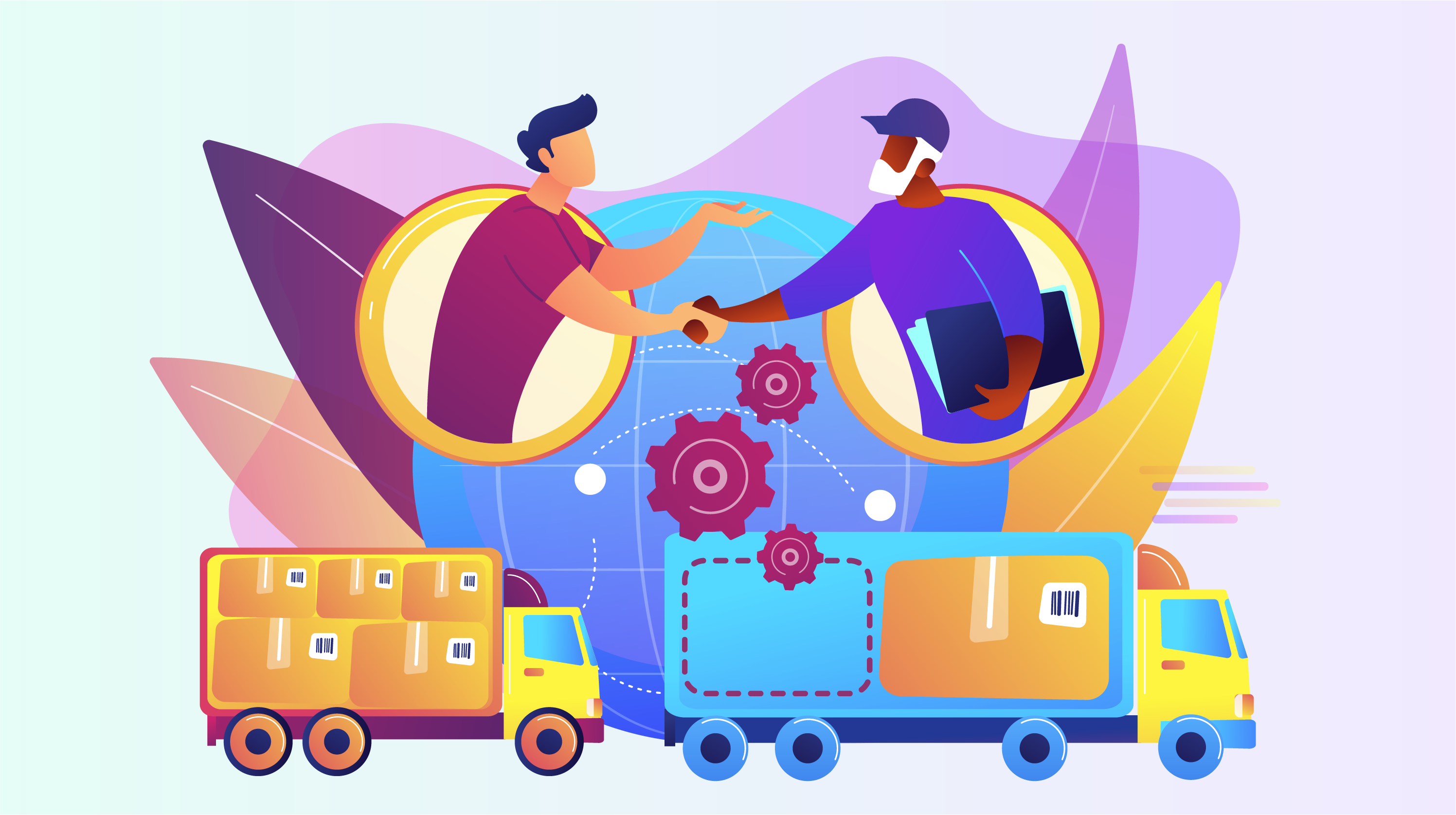
Like most business owners, you’re always looking for ways to make your operations more efficient. One way to do that is using a transport management system (TMS). This software can help you streamline your transportation processes. This makes it easier and faster to get goods from your facilities to their destination. To help you understand the importance of a TMS, we’ve joined forces with TransVirtual to discuss the seven benefits of integrating a transport management system into your business.

Below are the seven benefits of using a transport management system.

Automate Routing

One of the significant advantages of having a transport management system is the ability to automate routing. This can save your drivers and dispatchers a lot of time when it comes to planning their trips, as it will automatically generate routes for them. You must input the relevant information into the system, such as the starting point, destination, and any stops along the way. The TMS will then use this information to calculate the most efficient route for your driver to take. This can be a huge timesaver, particularly if you have a large fleet or if your drivers are constantly on the move.

Improve Tracking

A transport management system can help you keep track of your vehicles and drivers in real-time. It allows you to monitor their whereabouts and get detailed insights into their routes. This can be useful for a number of reasons. These include ensuring that vehicles are being used efficiently, investigating any delays or accidents, and tracking driver performance. In addition, by using this system, you can improve the efficiency of your operation and ensure that you are meeting all of your legal obligations.

Enhance Communication

This system can help to facilitate communication between you and your drivers. This can be particularly useful if you have a large fleet and need to keep track of their whereabouts. With this, you can send out messages to keep them updated on their routes and provide them with text alerts when they’ve reached specific locations. This can help to ensure that your drivers are always aware of changes in the schedule and can plan accordingly. In addition, a TMS can also help to reduce the chances of miscommunication between you and your drivers.

Optimize Scheduling

Automating your routine processes is essential for keeping your business running smoothly. But what about scheduling? This system can also help you optimize scheduling, ensuring that your deliveries and pickups are always on time. With this system, you can schedule deliveries and pickups in advance, so you never have to worry about being late. In addition, the system can help you keep track of your fleet’s whereabouts so you always know where your assets are. As a result, a transport management system can save you both time and money.

Reduce Costs

Any business owner knows that reducing costs is essential to remaining profitable. There are a variety of ways to cut costs, but one often overlooked method is through optimised transport management. Businesses can use this system to minimise fuel expenses, labour costs, and other operational costs. The transport management system creates efficient routes and schedules that make the best use of resources. As a result, businesses can save money and improve their bottom line.

Improve Customer Service

Regarding customer service, one of the most essential factors is timely delivery. If you can’t get your product to your customers when they need it, they’ll likely go elsewhere. That’s where a transport management system comes in. By having a system in place to track and manage your deliveries, you can be sure that your products will reach their destinations on time and in the condition they were sent. This not only benefits your customers but also helps to build trust and loyalty. In today’s competitive marketplace, that’s more important than ever.

Enhance Security

As your business grows, so does the need for security. It can help to enhance safety by providing features such as remote access control systems and GPS tracking. With these tools, you can keep an eye on your business from anywhere in the world. You can also track your employees’ comings and goings, ensuring everyone is where they’re supposed to be. In addition, a TMS can help to deter crime by making it more difficult for thieves to break into your business. Finally, it can help give you peace of mind and protect your business by enhancing security.

Conclusion

A transport management system is a powerful tool that can improve your business in various ways. It can help to reduce costs, enhance communication between you and your drivers, optimize scheduling, improve customer service, and enhance security. By investing in the right TMS, you’ll be able to maximize efficiency while meeting all of your business needs. In addition, with a transport management system in place, you’ll be able to rest easy knowing that your business is running smoothly and securely.

What is Data Scrubbing and Why Small Businesses Need It

As a small business owner, you no doubt have a lot on your plate. You’re responsible for keeping your customers happy, creating a top-notch product, ensuring your employees are productive, developing marketing campaigns – the list goes on! With all of these balls in the air, it’s easy to let some things slip through the cracks – like data scrubbing.

In layman’s terms, data scrubbing is the process of cleaning up your data. If this is something that you’re not already doing, don’t fret. We’re here to tell you why data scrubbing is essential for small businesses and how you can get started.

What Is Data Scrubbing?

Essentially, data scrubbing is a process that involves identifying and correcting inaccuracies in data. This can include anything from misspellings to outdated information.

For example, suppose you’re a small company selling business continuity planning software. You have a list of potential customers you’ve been working with for months. However, when you go to contact them, you realize that many of the phone numbers and email addresses are no longer valid. 

This is where data scrubbing comes in. By scrubbing your data, you can ensure that the information you have is accurate and up-to-date.

Issues That Can be Fixed With Data Scrubbing

Now that you have a better understanding of data scrubbing, let’s take a look at some common issues that can be fixed with data scrubbing.

Outdated Information

Over time, things change – people move, change jobs, and so on. As a result, it’s important to regularly scrub your data to ensure that the information you have is still accurate. 

Suppose your company offers automated localization testing software and is targeting potential customers in Europe. But, similar to the above example, you realize that their contact data is out of date. 

Data scrubbing ensures that you’re not wasting time trying to reach people who are no longer at the same company or even in the same country. And in business, time is money.

Misspellings and Typos

We’re all human, and as such, we’re prone to making mistakes. However, when it comes to data, even a small mistake can have big consequences. This is why data scrubbing is so important. Here, data scrubbing helps to ensure that all of the information is accurate.

Incorrect Data

In addition to misspellings and typos, sometimes data can just be wrong. This can happen for various reasons, but data scrubbing can be the solution. By scrubbing your data, you can ensure that the data you store is correct.

Duplicate Data

It’s easy for businesses to accidentally create duplicate data sets for the same customer. But this can be confusing for your teams when trying to contact customers. Data scrubbing can help ensure that you have a single entry for each customer. 

Why Is Data Scrubbing Important For Small Businesses?

Data scrubbing is important for small businesses because it helps to improve data quality. Inaccurate data can lead to a number of problems, such as:

  • Wasted marketing efforts: If you’re using outdated data, you could be wasting your time and money on marketing efforts that will never reach their intended target.
  • Frustration for customers: If you’re trying to contact a customer and your emails continue to bounce back because of an invalid email address, your customer is likely to get frustrated. The same goes for trying to contact a customer by phone only to find out the number is no longer in service. Data scrubbing can help you avoid these frustrating customer experiences.
  • Missed opportunities: If you’re not keeping your data clean, you could be missing out on opportunities to reach new customers or nurture relationships with existing ones.

Small Business Data Scrubbing Tips

Incorporate Data Management Software

There are a number of data cleansing and data management software options on the market that can help you clean and manage your data quickly and easily. This can be a great option if you don’t have the time or resources to do data cleansing yourself.

Utilize Data Enrichment Tools

In addition to data cleansing software, there are also data enrichment tools that can help you improve the quality of your data. These data enrichment tools can help you add missing data such as social media profiles or contact information.

Regularly Audit Data

It’s important to regularly audit your data to ensure that it is accurate and up-to-date. You should also update your data regularly, such as when you obtain new customer information or make changes to your product offerings. 

For example, let’s say you own a cloud applications architecture company and you introduce a new product to your lineup. You’ll want to audit and inspect your customer data platforms to make sure the data is still accurate before you start marketing the new product.

Report and Fix Errors

If you find errors in your data, be sure to report and fix them as soon as possible. Ignoring data errors can lead to bigger problems down the road.

Have A Plan

Data scrubbing can be a big project, so it’s important to have a plan in place before you start. This plan should include what data you need to scrub, how you’re going to do it, and who will be responsible for each task. Having a plan will help you stay organized and on track throughout the data scrubbing process.

Ensure Your Data Is Clean and Accurate

It’s no secret that data is becoming increasingly important in today’s business world. In fact, it’s often said that data is the new currency. 

As such, it’s more important than ever for small businesses to make sure their data is accurate and up-to-date. After all, data is useless if it’s not correct. That’s why data scrubbing is a great way to ensure that your data is clean so you can contact your customers as and when needed. 

In addition, small business management software can make the data scrubbing process more efficient. These software programs can help small businesses by automating many of the tasks associated with data scrubbing, such as identifying errors in data sets, correcting errors in data sets and updating outdated information.

9 Ways Customer Data Platforms Offer Invaluable Insights Into Your Customers

Customer Data Platforms (CDPs) are pretty self-explanatory in terms of what they’re used for – storing and organizing customer information. Sounds pretty simple, right? You might be wondering what the hubbub about CDPs is and whether this is one of the technologies you should embrace.

Well, first let’s go into a more detailed definition of CDP: A Customer Data Platform is a software tool that collects and organizes customer data from across different sources. It is used by a multitude of tools, including marketing software

CDPs take real-time data and structure it into individual customer profiles. Why is this useful? The more dynamic, up-to-date, and replete the information you have on a diversity of customers, the better you can hone in on who your customers are and work towards offering more satisfying customer experiences.

Valuable Insights and Benefits Of Customer Data Platforms

1. High Level Of Detail

At the core of CDP is identity data, which allows users to identify specific customers. Examples of identity data include first and last names, age, and gender, contact details, addresses, social media handles, and job status. Instead of relying solely on cookies to track users, CDP collects more concrete identifiers that provide companies with more opportunities to reach customers.

The high level of detail allows the software to identify individuals, which is helpful in terms of offering highly targeted content to consumers. You can use tools such as Infographic Maker to present this complex data in a more easily digestible format.

2. Data Is Stored As Long As Legally Permitted

Instead of focusing on the benefits of short-term targeted ads, CDP allows sellers to develop a deeper and longer-lasting relationship with the consumer. Data is stored for long periods – often as long as is allowed under local laws, which can be subject to change. 

This allows consumer-seller relationships to be nurtured further than they were before and for more information to be added about the consumer over time, creating a more accurate picture of their interests and who they are. 

3. Processes Real-Time Data

Data is collected directly from the source in real time rather than through third parties which ensures the data is highly accurate. First-party data from social media users, subscribers, site visitors, and customers is collected by CDPs, which is the most up-to-date data available. 

So instead of playing a customer-data version of a phone tag you can just find out all about your customers directly.

4. Data From Multiple Sources

Another thing that makes Customer Data Platforms so accurate and able to avoid duplication of data is the fact that CDPs collect data from multiple sources. This allows the software with integrations such as the PySpark datatype to cross-reference the data and see which of the data belongs to the same customer, thus avoiding replication. 

5. Unified Profiles

CDPs build unified customer profiles which help team members get to know their customers. This system helps with things like behavioral analysis to understand trends in interests and consumption and find patterns in all of the noise. Unified customer profiles are easier to share and discuss meaningfully as well.

6. Easy-To-Share Data

The data is formatted in such a way as to make it very easy to share across different departments. This means that everyone in your company and all of your collaborators can have easy access to the same dataset and work more efficiently as a team toward the goals you set. 

Instead of everybody crowding around Nora’s desk and squinting at her screen in exasperation, you can do that at your own desk, or even more likely these days, possibly from the comfort of your own home!

7. Data Hygiene

Perhaps hygiene is not a word you would typically associate with data, but all it means is that data is regularly, as a matter of course, tidied up and updated. This means you don’t have excess or out-of-date information lingering on your system, threatening to slow you down and render your work less efficient. CDP offers the electronic equivalent to dental floss. A little bit regularly will save you a world of pain in months to come.

8. Not Just Quantitative Data

CDP offers qualitative as well as quantitative data. This means that as well as numbers and figures, you have contextual information which helps you to understand the customer’s personality, values, and interests.

By understanding things like what motivates your customers, you can start to understand them more fully, and not just in terms of their buying habits. You can understand them as complete people and citizens, which is very helpful knowledge to marketers. 

9. Marketing-Friendly Format

The shareability of the data, the high levels of accuracy, and the unified data profiles make it easier for marketers to collaborate and develop campaigns that are both targeted and timely across different platforms. CDP allows accurate customer-driven marketing efforts, with breadth and depth of information, like a well-formed loaf of data bread.

The Takeaway

Customer data platforms offer a depth of information which is specific to the user, as well as breadth of information about every customer, such as what motivates them and what their values are. The data can be held for a long time, which allows us to build and nurture a stronger customer-seller relationship, and get to see how the customer changes over time. 

The information is easily shared across platforms, which makes collaboration easier, and it is sourced from many places and cross-referenced, which helps to avoid duplication. This is a useful software capability for a customer-centered environment. The real-time collection of the data helps keep it accurate and up-to-date, as does the collection of data directly from the source. 

The market for customer data platforms is rapidly growing with the industry expected to reach a size of over 20 billion dollars by 2027. This shows the value of accurate, up-to-date and thorough customer data. 

4 Ways Data Management Software Helps Small Businesses Realize Their Potential

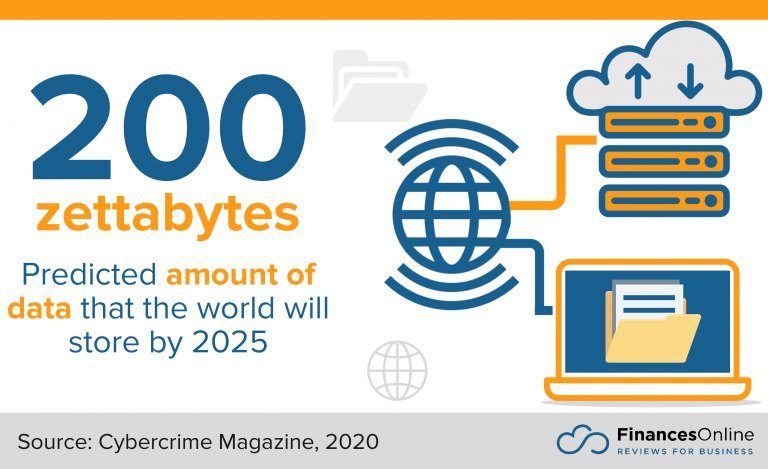
Today’s world is absolutely filled to the brim with data of all shapes and sizes, more and more of which is being generated each day. By the start of 2020, people had generated 44 zettabytes of information with their digital activities. That figure is only going to increase in the years ahead.

21st-century businesses need to think about how they manage and use the data they continue to rapidly accumulate. That’s where data management software comes into play. We’ll explain what data management involves and some of the benefits it brings to small businesses.

What Is Data Management Software?

Today’s businesses have a lot of data to sort through. This data is generated when customers sign up for services, when they make transactions, or even when they interact with your business more generally – through channels like social media or simply visiting your website, for example. 

The data a business accumulates can be helpful. By understanding the activities of your customers, you can make better business decisions. However, you can’t interpret this data unless it’s been organized properly—which becomes harder when we consider how widely today’s data can be distributed and simply how much of it there is.

That’s where data management comes into play. It collects and organizes data in a way that is useful to you—augmenting things like gut-based guesses—while also protecting it from theft. Data management is typically achieved using a specialized piece of software, which can consolidate data from different sources before analyzing and visualizing it.

Data management is used by a variety of industries, including retail, banking, and manufacturing. It allows businesses to perform particular tasks better, like responding to customer expectations and managing inventory.  It’s also useful for various business sizes—including small ones—and can help you better understand concepts like database ACID.

What Does Data Management Software Do for Small Businesses?

In some respects, it does the same thing as it does for large businesses. All businesses today (whether large or small) generate data, whether they aim to or not. Therefore, it makes a lot of sense to do something with it.

Of course, if you’re looking for practical benefits, there are four major components for small businesses to be aware of:

1.    Increased Productivity

Data management means that all the data flowing into your business is organized. This, in turn, means that we can actually access it. Having this central, practical resource ensures that you and your employees can all use your time more effectively—as you aren’t wasting it in futile pursuit of something you need, like how much of a particular resource you have.

Data management also means you’re able to share information with one another more easily. Since even small businesses rely on teamwork, being able to work together effectively is a must.

2.    Better Security

The terminally-online, vastly interconnected nature of today’s world means a lot of the data we produce is sensitive. You need to make sure that the data your business has can be protected from theft, leakage, or simply irrecoverable loss. If you don’t, your business and customers could suffer financial or reputational harm.

A major part of data security is understanding what, exactly, you need to protect. Data management software provides a comprehensive record of what you need to think about. 

Crucially, however, it also comes with encryption and authentication functionality. This makes it much harder for bad actors to access your data. In the event that data gets lost, good data management software backs it up to avoid any unpleasant situations. 

Make sure to protect all facets of your business by improving front-end security for your websites as well.

3.    Higher Quality Decision-Making 

All business leaders have to make multiple decisions each day, which data management software makes easier. This is because this kind of software can actively improve your data’s quality by standardizing, parsing, and verifying the data you give it. Crucially, it does so automatically – meaning there’s only so much oversight you need to give.

Data management software also aids decision-making by blending different data types together. It allows the software to offer new business insights—and even answer questions you hadn’t considered before. This is another aspect of data management you can automate.

More importantly, data management software helps your employees to trust your decision-making. This is because the way you have come to such a decision is more transparent than it may have been in the past.

Indeed, better decision-making is a particular benefit of data management software for small businesses. A larger business can recover from a flawed business decision more easily than a small business can, as the former (obviously) has more resources to work with

4. Better Use Of Funds

Indeed, while it may come with some initial costs upfront, data management software can save you money. Demystifying a business’ inner workings prevents situations like data duplication, conducting the same research multiple times, or re-running expensive queries. All these cost your business money, and you could easily avoid them with the right software established.  

data management software

Naturally, the improvements to decision-making have an impact here as well. Making an informed decision means you’re more likely to see a return on any investments you make, which you can then re-invest into your business going forward.

The Takeaway

Data management software can seem like an extravagance, especially if your business is on the smaller side. However, it can be a very useful tool for day-to-day business operations. 

Managing your data ensures you can interpret and share it more effectively than before. Crucially, it also helps to keep it safe from theft or accidental loss. All small businesses should consider data management software if they want to maintain their edge.

Zoho CRM: Is It The Solution Your Business Needs?

It’s hard to know exactly what every customer wants. Some expect personalized service and attention on a near-daily basis, while others are content with being left alone until a crucial conversation is needed. Regardless of the type of customers that your business has, it’s important to have a way—scratch that, many ways—to reach them.

Scattered emails, customers that use various chat applications (not the chat app that your company supports), and phone calls to and from personal lines may have gotten the job done in the early days of your business, but these communication channels no longer cut the mustard as your business grows and expands.

One solution that businesses have enlisted is a part of the Zoho suite of software products: Zoho CRM.

Zoho CRM: What You Need To Know

Zoho CRM offers businesses a customer lifecycle management solution that allows prospects to be tracked through the sales funnel, with some automation to do some of the heavy lifting. Zoho CRM offers competitive customer relationship management capabilities, but does it offer everything that a full-bodied ERP software solution can?

Let’s look at the positives and negatives your business may face when choosing Zoho CRM, and how and why other alternatives may be a better fit for your business and its unique needs.

ERP business management software solutions

Pros Of Zoho CRM

Many businesses are familiar with the Zoho suite of products. Zoho has over 40 apps in total that perform a number of different functions. Zoho Desk, Zoho Recruit, and Zoho Meeting are just a few of the many products that Zoho offers. 

For Zoho CRM in particular, there are a few areas where it stands out among the competition. G2, a leading software review source, lists Zoho CRM’s data import & export tools among its top features. Also, its contact and account management functionality is one of the areas that it functions the best. 

As for the price of Zoho CRM, it’s affordable for businesses of any size. Zoho CRM offers a free trial, and its plans begin at $14/month per user. However, this base plan doesn’t come with all of the features that the enterprise plan offers. The Zoho CRM enterprise plan begins at $40/month per user. Some CRM bundle subscriptions go as high as $69/month per user.

Cons Of Zoho CRM

On its own, Zoho CRM is a powerful customer relationship management tool. From a brand with a worldwide presence, the tools it offers provide value to customers and its easy-to-use design feels comfortable for those who may not fashion themselves as inherently tech-savvy.

One of the most glaring downsides of Zoho CRM is not about Zoho CRM itself, but about the Zoho applications as a whole—while each individual module is powerful, functional, and affordable, getting the most out of Zoho requires using and paying for any number of the Zoho suite of applications. 

In other words, the price and complexity of juggling various software packages can really add up. For small and growing businesses that require multiple users on the system, this cost is often too high to justify. Instead of a single, all-in-one business management software platform that handles everything from accounting, projects, and time management in addition to CRM capabilities, Zoho has essentially split up these features among its 40-odd modules.

zoho crm alternative

While this is ideal for some larger organizations that only need one or two modules to accompany their existing, legacy software solutions, it is less than ideal for smaller organizations that are in need of a complete business management software solution.

Beyond the cost of deploying multiple software products, Zoho CRM falls short when it comes to customer support satisfaction. G2 reviewers have ranked Zoho CRM’s quality of support at 7.5/10, which is below the CRM industry average of 8.6/10. Capterra—another leading software review site—lists a 4 out of 5 rating for customer service.

Zoho CRM: Will It Work For You?

While Zoho CRM offers competitively priced and intuitive CRM tools, it falls short when it comes to offering other vital, non-CRM-centric features that provide immense value to small and growing businesses. For those that are extremely budget conscious and looking to get the most value out of their technology stack, there are some Zoho CRM alternatives that are worth looking into.

Further, many reviewers acknowledge that while Zoho CRM functions well, getting a hold of and receiving valuable help from the Zoho customer support team can often be difficult.

Striven – The All-In-One ERP Software

Projects, operations, tasks, and HR benefit from software solutions. And in today’s world, most companies need a software solution compatible with today’s landscape of working remotely. Having CRM software on its own just isn’t enough anymore, either.

The Zoho family of products contains modules and add-ons to accommodate all of your business needs. However, unlike other all-in-one business management software solutions such as Striven, expect to pay for each additional module and piece of functionality that you’ll need. With Striven, you have all of the tools you need to succeed in one place, together and simplified. No need to worry about paying for add-ons or bloated software that simply doesn’t fit your business needs. The best part? You can try it for free.