

Does Your Business Have The Best Job Management Software System?

For growing businesses, choosing the right job management software system is a crucial step in the maturation process. Job or Project management software systems handle a wide range of tasks for businesses, so the right software can drastically improve the overall efficiency of a business. But what makes a great job management software system? Let’s explore what features to look for in elite business management software.

What Is a Job Management Software System?

Job Management

Before outlining the specifics of what makes a great job management software system, let’s define the term first. Job management systems are a way to focus and organize a growing business.

They accomplish this goal by centralizing data in one location and by helping users prioritize tasks. After tasks are prioritized and assigned, this type of software acts as a streamlined tool for scheduling and meeting deadlines. Job management software systems can also offer estimates and quotes, track purchase orders, help track and hire applicants, and provide templates for common business documents, such as invoices and marketing emails. Job management software systems can accomplish a lot for growing businesses. But what makes something the best software out there? Let’s dive in.

Features of the Best Job Management Software System

As I mentioned previously, job management software centralizes and secures your business’s data. However, managing data is not the only thing a job management software system can accomplish.

A job management software system is also capable of handling document management, offering price quotes and estimates, scheduling, and managing time sheets.

job management software

Additionally, a growing business is going to want a job management software system that is frequently updated and improved upon. As Nishant Nair from Forbes points out, “Software should be agile enough to work according to business processes.” Frequent updates will keep your job management software system running properly and effectively, avoiding future headaches.

Usability Is Important 

It’s great if a job management system can do everything that it advertises, but none of these capabilities matter if the user interface of the software is clunky and complicated. So, what makes the usability of a job management software elite? Like almost all other types of software and technology, a great system is partially defined by how easy it is to use. If the system is too complicated for the average person to get their head around, it can’t be used to its fullest potential. 

Customer Service Makes All The Difference

Another major component of what makes a great job management system is the quality of its customer support. There are always bound to be a few hiccups along the way when implementing a new software system.
business culture communication cartoon among three people

That’s why the best job management software system is accompanied by excellent customer service to help growing businesses when they need it.

Because at the end of the day, no one wants to deal with what The New York Times calls “Tech Support Rage”. Instead of dealing with a company that is “aware of the torture they are putting you through,” with poor help, automated messages, and being put on hold indefinitely, look for a job management software system that comes with a helpful and present customer support team that works with customers one on one to solve their most pressing issues.

five customer service people providing outstanding software support

What Is A Fair Cost For A Job Management System?

There isn’t an exact price range that can be given when looking for the best job management software system. Ultimately, it comes down to finding the best fit for your company at a price you can afford and that works best within the framework of your business.

However, here is one useful tip to consider when shopping around: look for a job management software system that is all-inclusive.

job management software system

Some job management software systems are modular, meaning you only pay for certain modules that perform certain functions. Initially, this may sound appealing, since no one wants to pay for functions that they don’t use, but in the long run, this kind of system can be more of a hassle than a profitable investment.

As your business grows, it also grows increasingly likely that your business will end up needing to purchase many additional modules. This can get pricey and technically complicated. At the end of the day, it typically ends up costing more than if your company bought an all-in-one software that comes preloaded with every feature at an affordable, flat cost.

Although a growing business might not be able to afford the expense of a larger job management software system used by Fortune 500 companies, there are other options that exist at a more reasonable price well within a small business budget. In the end, your business will still save on costs because you’ll have one software that accomplishes the same job that multiple software systems perform.

The Takeaway

In the end, the best job management software system will come down to the needs of your growing business. It’s important to keep in mind that not all job management software systems are created equal and that the best job management systems will be flexible to your needs and offer comprehensive, creative solutions to all of the pressing challenges that your business faces.

Maximize Efficiency with the Right Job Management Software

Some growing businesses find themselves asking the question, “Do we need job management software?” After all, job management software (aka project management software) involves practically every department of a business. From sales and scheduling to inventory and finance to purchasing and customer service, and on and on.

For historically blue-collar service trades such as plumbing, electrical, HVAC, house painting, pool & spa, glaziers, hearth & chimney, landscape management, solar, locksmithing, and roofing—really every business-to-consumer (B2C) company working primarily with homeowners—job management software helps a business keep track of every job, even jobs of enormous complexity that rely on dozens of highly-skilled craftspeople. The right job management software system is indispensable for field service businesses in every trades industry.

project management software for the trades industry

Job management software helps improve the overall business operations of a company and allows employees to complete a variety of tasks with better accuracy, efficiency, and accountability. From job assignment and scheduling to compiling and analyzing data, to managing budgets and orders, job management software allows businesses to work better. Without taking advantage of the benefits that this kind of software has to offer, growing businesses may see an impediment in their business’s long-term development. By utilizing job management software, a growing company can make the most efficient use of its resources.

Job Management Systems in Workflow Management

So, from a job software perspective: what is a job? Simply put, every job or project is made up of a collection of individual tasks that must be performed by a particular person at a certain time. A major benefit of job management software is the ability to effectively assign tasks while also keeping track of task completion and scheduling. The best job management software assists in matching the most suitable person to a task by matching the skills of employees with assignments that benefit the most from those skill sets.

According to Forbes, one of the top three reasons employees quit their jobs is because they didn’t feel valued by the company. But there is a solution to this dilemma—when you build job roles that clearly define responsibilities and focus on employee skills, they will feel valued.”

Job management systems help with the hiring process to ensure that the best candidates are being presented to employers for any new positions. Job management systems can offer insight into employee performance so that companies can recognize valuable members of their teams.

Additionally, job management software tracks work completion and manages employee and sub-contractor timesheets, and sends pertinent info and reminders through notifications, ensuring that tasks get done on time. Tasks are able to be easily completed with the ready made templates that a job management software system provides. With a coherent document-sharing interface built in, job management software is essential for any project.

Job Management and Data Integrity

Job management software is useful for not only analyzing individual employee performance, but it helps businesses better understand the overall data sets and analytics of a growing business. For a growing business, this is excellent news.

job management software system

An estimated 80% of an analyst’s time is spent solely on discovering and preparing new data, which is an inefficient use of time.

Job management software keeps track of data and even utilizes past data to improve future projects, which will lead to reduced spending, faster decisions, and the ability to quickly adjust projects to new data.

When a business is hoping to expand, these efficiencies play an even bigger role. A growing business means more data to keep track of, and job management software is the ideal way to keep track of all of that data because it keeps the data centralized and easily accessible to everyone that needs it. A company doesn’t have to go through multiple software systems to get all of the data it needs, it can always access the most up-to-date data in real-time.

An added feature to data control that job management software helps accomplish is security and threat prevention, protecting your company by reducing the risk of cyber attacks, of which 43% happen to small businesses.

43% of  cyberattacks happen to small businesses

Job Management Software and Finance

Job management software also helps businesses from a financial perspective. Job management systems can calculate quotes and estimates, as well as track purchase orders, allocate costs, and keep bills up to date. Additionally, they can offer insight into overall productivity, equipment efficiency, and transportation costs. In essence, job management software takes care of budgeting for a company, so there is less to worry about between managing orders, overhead costs, unexpected payments, and any other budgeting concerns.

small business accounting software

In addition to that, quality job management software lets you provide outstanding, five-star customer relations. By centralizing information, keeping in contact with customers, and receiving feedback from happy homeowners, job management software keeps customers in the loop and, through automatical email and texting, alerts them to any notification that they need to see. In both the short- and long-term, a single software platform that manages all of a business’s processes decreases the overall spending on technology. Since the right job management software oversees a variety of components of your business there is less need for multiple software applications to accomplish the same tasks.

Takeaway

The biggest advantage that job management software provides growing businesses is the ability to manage operations more efficiently and effectively. Job management systems allow companies to make better decisions about their overall business operations and do so in real-time, without the need for wading through separate software. Job management software is essential for any growing business, improving workflow, managing data, and keeping track of job costing, finances, or any number of things a business needs to track, either day-to-day or long-term.

How to Give Performance Appraisals That Motivate Employee Growth

Many managers know the importance of giving performance appraisals but also find it a challenging task to accomplish. It can be difficult to be objective and constructive when critiquing someone’s position and responsibilities. Not only that: performance reviews have a big impact on motivation, and getting them wrong can be costly. 

Research shows that only 10.4% of employees whose manager’s feedback left them with negative feelings feel engaged at work. Four out of five began looking for a new job as a result. 

The goal of a performance appraisal should always be to help the employee improve as well as acknowledge their value to the company. With that in mind, here are some tips for giving appraisals that inspire employees to grow.

Why are performance appraisals necessary?

First of all—what is a performance appraisal?

Performance appraisals are a formal way of evaluating an employee’s work. They usually take the form of a meeting in which the employee and manager discuss the employee’s strengths and weaknesses and come up with a plan for how the employee can improve.

Performance appraisals are important because they provide feedback that allows employees to understand how they’re doing and where they need to grow in their position. They also help to establish a baseline against which future performance can be measured.

Performance appraisals are also great for boosting motivation because they provide a roadmap for growth in a role. Workers feel motivated when their progress is recognized, and when they feel their role within the organization has growth potential. Nobody likes to feel stuck. Quite often, an employee that seems lazy is just unmotivated—and that’s something you can fix.

employee performance evaluation

How to Give Performance Appraisals That Inspire Employees to Grow

Here are some actionable tips to help you provide feedback that will guide and motivate your employees

1. Start by setting the right tone

The way you approach a performance appraisal can make all the difference in terms of how the employee perceives it. If you go into the meeting with a critical attitude, the employee is likely to feel defensive and may not be willing to listen to your feedback and even hesitate to openly communicate.

On the other hand, if you start the meeting by praising the employee’s strengths, they’re more likely to be receptive to what you have to say. Frame the appraisal as an opportunity for growth, rather than a critique, and the employee will likely be more motivated to listen.

A positive reinforcement model can be used to spur employee growth. This means praising the employee for any steps they take towards improvement, even the small achievements.

2. Focus on personal growth over the business goals

While it’s important to discuss the employee’s role in relation to the business goals, remember that this is a personal growth opportunity for them. Help the employee to see how they can improve their skills and contribute more effectively to the team. 

This doesn’t mean you shouldn’t talk about the business at all; their personal goals should be given context. Also, help them to see their importance in the bigger picture—while letting the employee know that you are invested in their personal development.

3. Set expectations early on

It’s important to set expectations early on in the appraisal process. This means discussing what is expected of the employee during the meeting, and what you hope they’ll walk away with.

This also gives the employee a chance to prepare for the meeting so they can provide their input regarding how to improve.

4. Offer constructive and actionable feedback

One of the most important aspects of a performance appraisal is giving constructive feedback. This means providing feedback that is specific, actionable, and goal-oriented, rather than general comments like “you need to work harder.”

Make sure your feedback is relevant to the employee’s goals, and help them to see how they can improve their skills in the future.

Hearing critical feedback is always hard—but if you frame it positively and include a path forward for the employee, they’ll come away feeling motivated, rather than disheartened.

Delivering negative feedback can be difficult, but it’s important to do it in a way that inspires employees to grow. Here are a few tips:

  • Before giving any negative feedback, first praise the employee’s strengths
  • Don’t dwell too much on the past
  • Offer a positive to every negative

One of the best ways to give helpful feedback is to make sure that it’s relevant to the employee’s goals. Help them to see how their current skills can help them reach their goals, and provide concrete improvement steps.

When giving feedback, use the SMART framework—an acronym that stands for Specific, Measurable, Achievable, Relevant, and Time-bound.

smart business model to guide goals infographic

This makes it easier for the employee to get their head around what’s expected of them. It also provides them with a roadmap to get there, which helps to keep them motivated.

Using the SMART framework, you can easily track employee progress and if they are headed towards their goals.

5. Make negative feedback specific

When critiquing someone’s work, it’s important to be specific. Rather than saying “You need to work on your communication skills,” give examples of specific incidents where the employee could have communicated better.

This will help to paint a clear picture so the employee fully understands how to do their job better.

Here are two examples of highly specific feedback

– “This is the first time I’ve noticed you checking your phone during meetings. Is there anything going on in your personal life that requires your attention?”

– “In a team meeting, you addressed only one aspect of what someone said. Could you make sure to cover all sides? Here’s a way to do this that I find helpful…”

6. Work with relevant employee data

Using data can help to back up your feedback and provide the employee with concrete evidence of where they need to improve. Make sure your data is accurate—no one wants to be judged unfairly.

If you have access to relevant employee data, it can be helpful to use it during a performance appraisal. This could include things like their attendance record or how they’ve performed in relation to specific goals. Thankfully, there are tools available that can help to make the process of data collection and analysis easier.

Employee management tools and time-tracking platforms provide invaluable performance data that can be used in appraisals. It can also be used to assign tasks and track metrics—something that’ll come in extra handy the next time appraisal time rolls around.

Giving a performance appraisal does not have to be stressful, for you or your employees. When giving one, keep the above tips in mind to help ensure your performance appraisals are successful and inspire employees to grow.

If you found this article helpful, please share it on your social media channels.

Zoho CRM: Is It The Solution Your Business Needs?

It’s hard to know exactly what every customer wants. Some expect personalized service and attention on a near-daily basis, while others are content with being left alone until a crucial conversation is needed. Regardless of the type of customers that your business has, it’s important to have a way—scratch that, many ways—to reach them.

Scattered emails, customers that use various chat applications (not the chat app that your company supports), and phone calls to and from personal lines may have gotten the job done in the early days of your business, but these communication channels no longer cut the mustard as your business grows and expands.

One solution that businesses have enlisted is a part of the Zoho suite of software products: Zoho CRM.

Zoho CRM: What You Need To Know

Zoho CRM offers businesses a customer lifecycle management solution that allows prospects to be tracked through the sales funnel, with some automation to do some of the heavy lifting. Zoho CRM offers competitive customer relationship management capabilities, but does it offer everything that a full-bodied ERP software solution can?

Let’s look at the positives and negatives your business may face when choosing Zoho CRM, and how and why other alternatives may be a better fit for your business and its unique needs.

ERP business management software solutions

Pros Of Zoho CRM

Many businesses are familiar with the Zoho suite of products. Zoho has over 40 apps in total that perform a number of different functions. Zoho Desk, Zoho Recruit, and Zoho Meeting are just a few of the many products that Zoho offers. 

For Zoho CRM in particular, there are a few areas where it stands out among the competition. G2, a leading software review source, lists Zoho CRM’s data import & export tools among its top features. Also, its contact and account management functionality is one of the areas that it functions the best. 

As for the price of Zoho CRM, it’s affordable for businesses of any size. Zoho CRM offers a free trial, and its plans begin at $14/month per user. However, this base plan doesn’t come with all of the features that the enterprise plan offers. The Zoho CRM enterprise plan begins at $40/month per user. Some CRM bundle subscriptions go as high as $69/month per user.

Cons Of Zoho CRM

On its own, Zoho CRM is a powerful customer relationship management tool. From a brand with a worldwide presence, the tools it offers provide value to customers and its easy-to-use design feels comfortable for those who may not fashion themselves as inherently tech-savvy.

One of the most glaring downsides of Zoho CRM is not about Zoho CRM itself, but about the Zoho applications as a whole—while each individual module is powerful, functional, and affordable, getting the most out of Zoho requires using and paying for any number of the Zoho suite of applications. 

In other words, the price and complexity of juggling various software packages can really add up. For small and growing businesses that require multiple users on the system, this cost is often too high to justify. Instead of a single, all-in-one business management software platform that handles everything from accounting, projects, and time management in addition to CRM capabilities, Zoho has essentially split up these features among its 40-odd modules.

zoho crm alternative

While this is ideal for some larger organizations that only need one or two modules to accompany their existing, legacy software solutions, it is less than ideal for smaller organizations that are in need of a complete business management software solution.

Beyond the cost of deploying multiple software products, Zoho CRM falls short when it comes to customer support satisfaction. G2 reviewers have ranked Zoho CRM’s quality of support at 7.5/10, which is below the CRM industry average of 8.6/10. Capterra—another leading software review site—lists a 4 out of 5 rating for customer service.

Zoho CRM: Will It Work For You?

While Zoho CRM offers competitively priced and intuitive CRM tools, it falls short when it comes to offering other vital, non-CRM-centric features that provide immense value to small and growing businesses. For those that are extremely budget conscious and looking to get the most value out of their technology stack, there are some Zoho CRM alternatives that are worth looking into.

Further, many reviewers acknowledge that while Zoho CRM functions well, getting a hold of and receiving valuable help from the Zoho customer support team can often be difficult.

Striven – The All-In-One ERP Software

Projects, operations, tasks, and HR benefit from software solutions. And in today’s world, most companies need a software solution compatible with today’s landscape of working remotely. Having CRM software on its own just isn’t enough anymore, either.

The Zoho family of products contains modules and add-ons to accommodate all of your business needs. However, unlike other all-in-one business management software solutions such as Striven, expect to pay for each additional module and piece of functionality that you’ll need. With Striven, you have all of the tools you need to succeed in one place, together and simplified. No need to worry about paying for add-ons or bloated software that simply doesn’t fit your business needs. The best part? You can try it for free.

Does Your Business Need A Zoho Alternative?

In the current business management software market, Zoho produces a variety of applications—some bundled into an all-in-one suite—that provide a variety of CRM, accounting, and other business management software solutions. 

Though many businesses benefit from the suite of products that Zoho offers, is your business getting the most possible value that it can from Zoho? Disconnected apps and separate systems can be inefficient and expensive. While Zoho One offers all of these apps under one account, they are still a suite of individual applications rather than a single, all-in-one application.

Business needs vary by industry, size, and a host of other factors. Even businesses within the same industry need different solutions, or solutions custom-tailored to their specific needs.

Zoho and its vast suite of applications work well for businesses that are considerably large in size, and some smaller, growing businesses have found Zoho to be suitable for their needs. But when it comes to your business, do you want a solution that merely checks all the boxes or a solution that is custom-tailored to your business needs in order to thrive?

In this article, we’ll cover the advantages and disadvantages of Zoho and what benefits your business might see from exploring Zoho alternatives that are on the market.

What Is Zoho?

According to Zoho’s profile on Capterra, Zoho is a suite of 40+ applications with complementary mobile apps that allow a business to reach customers, grow sales, manage accounting, and increase workflow efficiency.

Zoho One, the package that includes all of the various Zoho applications, is billed as a way for users to be streamlined and connected by utilizing a single login to connect to all of the different applications. 

In terms of pricing, Zoho offers a variety of plans based on the total revenue and number of employees. In addition, pricing can vary drastically depending on which modules are selected. Some estimates of Zoho’s pricing suggest that smaller businesses can expect to start their plan at around $14/user per month while the highest tier package is $57/user per month.

Advantages of a Zoho Alternative

zoho alternative

While Zoho, Zoho One, Zoho CRM, and the rest of the Zoho suite contain useful tools that help businesses manage their products and assess profitability, they’re not always the right fit for every business. 

Zoho Alternatives are Affordable for SMBs

The cumulative nature of micropayments coupled with the à la carte model indicates that paying for individual apps and functionalities can get expensive over time. Sure, it’s possible to only pay for certain apps, bringing the price down considerably. But when it comes to managing all of the mission-critical segments of a business, just a few apps and functionalities may not cut it.

For growing businesses, getting the most value for their money is more important than ever. Some Zoho alternative platforms shy away from the application/module model in order to give growing businesses all of the tools they need to run their entire business, all in a single connected software platform.

Zoho Alternatives Provide Elite Customer Support

When it comes to features to prioritize in a Zoho alternative, even non-technical features are important to consider. For example, finding a Zoho alternative that maintains an elite standard of customer service (at no or low additional cost) is crucial.

Enterprise resource planning (ERP) concept with icons. Production, human resources, inventory, CRM, sales, service, distribution, business process.

No matter the quality of the software, errors always occur. And in reality, users will always have questions about the system they are working in.

Zoho offers several support plans for an additional fee, which can get very expensive for growing businesses. In addition, some Zoho modules—notably Zoho CRM—have below-average customer support rankings while other, all-in-one business management systems have stellar customer support scores

Though it may be tempting to opt to go with a large-scale platform, it is often the case that many smaller, all-in-one business management software companies provide better—and 100% U.S.-based—customer support.

Customizations Are A Breeze With A Zoho Alternative

Every business is unique. With large-scale, widely used applications such as Zoho, customizations can be difficult to implement. While not always the case, some Zoho customizations require some level of coding.

For small and growing businesses, having to code (or having to pay for coding services) can skew drastically out of budget. Beyond that, having a single, dedicated, familiar customer champion working with your team can be the difference between successful software adoption and the painful realization that you need to rethink your initial software partner selection.

A Unified Business Management Platform

The post-Pandemic work world has changed and continues to evolve at a fervent pace, and technology has never been more crucial to the success of every business. The importance of having top-shelf, all-in-one business management software has never been greater.

zoho alternative

Running a successful business is challenging enough when your technology stack is running smoothly and efficiently. Speedbumps like erroneous data, complex user interfaces, and technology that simply does not allow for ample, on-time communication only make things tougher.

While the Zoho suite’s individual applications perform very well on their own, it turns out their biggest drawback is that they do exist on their own, not fully integrated with one another. Not only do additional modules require additional investment it also requires more advanced technical support, additional time spent learning how to properly integrate data, and additional time spent ensuring accuracy across multiple systems. 

Having all of your business processes—accounting, inventory, sales, marketing, projects, HR, operations, and more—working seamlessly as a complete, unified software platform will improve your business’s overall performance by increasing efficiency, accuracy, and scalability.

Striven – The All-In-One Business Management Software

Out of the numerous Zoho alternatives on the market today, Striven has been recognized as one of the industry leaders in terms of affordability, quality of customer support, and overall ease of use. Check out what everyday users have to say about Striven.

While some large-scale business management software providers like Acumatica may be a good match for large-scale, Fortune 500-sized companies, Striven understands that not every company needs a system that’s quite as technologically bloated—and one that doesn’t require breaking the bank.

The importance of having all of a business’s core processes housed in a single platform has never been greater. Instead of hoping that various software modules can successfully and efficiently interact with one another, it’s important that businesses are able to view everything that they need from a single dashboard. (Hope has rarely been a successful business strategy.)

For small- and medium-sized businesses to be as successful as their large-scale counterparts, this level of visibility allows businesses to harness the insights they need to corner a larger share of their respective market. Remember, technology is a strategic competitive advantage for any business regardless of size.

Wrapping Up

Software needs to be flexible and anti-fragile. It’s true in terms of business just as it’s true in terms of technology. There’s no one-size-fits-all solution to success—every business and business plan needs a solution to fit their specific needs.

Many small and growing businesses have a tendency to lean towards a product like Zoho based on its global reputation. But, it’s important to recognize that just because this product works at such a large scale doesn’t necessarily mean it’s the right fit on a smaller scale.

Striven provides the same high-quality software and customer support as some of the larger ERP names on the market while being more affordable for the average small- and medium-sized business. 

Managing Customer Relationships With Business Management Software

Some types of businesses have customers, some have clients, and some have both. Maybe your business refers to its clientele as something else entirely. However you refer to the humans handing you a form of payment in return for your goods or services, it’s always crucial to build, maintain, and—when necessary—repair the relationships you have with them.

customer attraction and retention with business management software

One of the best ways to do that in our modern, largely-online world? Utilize business management software to enhance the overall sales pipeline, from lead generation to point of sale and beyond. 

It’s not just CRM capabilities that play a role in this process. One of the advantages that business management software brings to the table in the world of cultivating customer relationships is that there is the opportunity to gather data beyond simple contact information and buyer intent.

By utilizing prior accounting metrics, productivity reports, and other types of data gathered both from customers and employees. You’ll be able to make more informed decisions throughout the entire lead generation, sales, and retention pipeline.

How To Enhance The Sales Process

Centralized Information

The key to attracting customers is all about having the right information at hand. It’s not just about having one lead’s email address and a record of what specific form they filled out, it’s about everything else. 

Beyond this individual’s basic information, what data is available to you? Are you able to quickly see if this person had a prior interest? Are their interests in line with the current trends you’re seeing within your products/services? Are you able to take advantage of quote-to-order functionality to keep everyone in the loop about the status of the sales process?

Each company in every industry handles its sales processes differently, but regardless of the specifics, it pays to have accurate, timely information on hand.

In 2022, overall customer relationship technology usage increased from 56% to 74%. As businesses shifted to an online-first approach more rapidly than ever, having enhanced access to customer data was one key contributor to success.

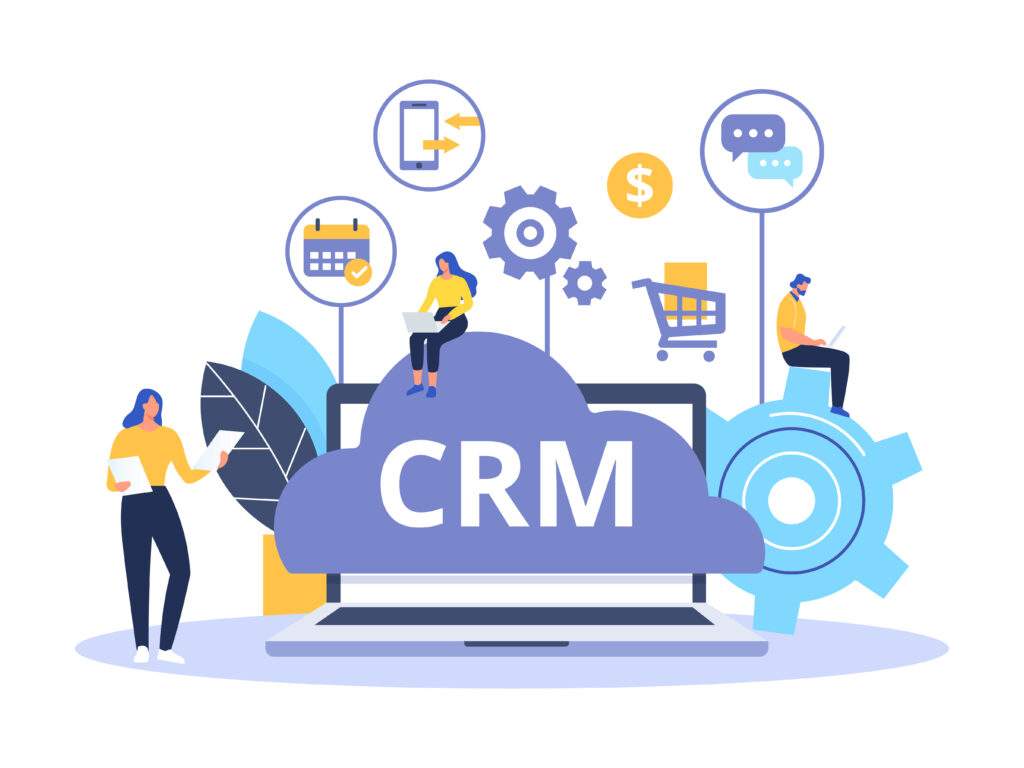
customer relationship management. people sitting on a CRM cloud

Automated Email Campaigns

Small business owners are always pressed for time. There are never enough hours in the day to get everything done. (Spoiler alert: there never will be.)

On top of that, wasted time and inefficient planning are among the biggest issues plaguing the average small business owner. According to one study conducted by Inc. Magazine, small business owners waste an average of 21.8 hours per week. In addition, 49% of working professionals have never conducted a “time audit” to fully analyze, understand, and improve how they spend their time.

automation business management software

Though there are a vast number of ways that business owners and employees can increase their overall productivity and efficiency, automation stands front and center as the most helpful piece of the puzzle. In this case, automation is utilized to effectively reach prospects and customers while you are able to dedicate your time and energy elsewhere.

Easily crafting emails in a code-free interface, utilizing lead scoring capabilities, and creating drip campaigns for each specific revenue stream that your business manages will help alleviate the stress of manually tracking prospects and sending individual marketing emails.

Built-In Accounting Data

Data is at the heart of every good decision. When it comes to the value of managing customer relationships via an integrated business management system, it pays to have the best data available at all times. In this case, the most important data is often the financial data.

Not every fast decision is a great decision, but great decisions that are able to be made fast are always the best decisions.

Being able to provide customers with accelerated invoicing and payment channels, accurate price forecasts that are derived from up-to-date inventory and work orders, and a better understanding of overall buying trends will help empower your sales force to increase their closing rate and leave customers satisfied.

How To Stay Connected To Your Customers

Customer Portals

Yes, the initial sales process is important. However, customer retention, if managed properly, can be even more financially rewarding than any individual sale.

The probability of selling to a new customer usually falls between 5 and 20%, depending on the specific nature of the industry and the products or services offered. However, when it comes to existing customers, this number dramatically increases—selling to an existing customer usually carries a success rate of 60 to 70%.

Combined with the fact that 55% of millennials claim to be more brand loyal today than 39% of consumers aged 35 and up, a focus on customer retention has to be a long-term priority for every business.

One thing that the modern customer desires is a personalized experience with the ability to retrieve information anytime, anywhere, on any device. With advanced customer portal technology that’s built into the best business management software platforms, you’ll be able to achieve both of these goals. 

Customer portals provide up-to-the-minute service updates, open up a line of communication for questions or concerns, show a detailed payment/shipping/order history, and provide an opportunity for customers to know their needs are being personally attended to.

Chat And Discussion Boards

Staying connected to others is important in all aspects of life. It helps us learn, grow, and achieve goals that we would have not been able to accomplish individually. It’s easy for a coffee shop to flourish as a catalyst for connection and community—it naturally brings people together, bonding over the sweet tastes and aromas of their favorite drink and acts as a natural societal meeting point for people that want to bond, vent, and commiserate.

Well, not every business has the luxury of having a product that is so universally ingrained into the cultural fabric of society. For other businesses, it takes a little more work, creativity, and technology to bring people together.

Self-service help is often the first choice of the modern customer. 91% of customers surveyed would use an online knowledge base if customized and tailored to their needs.

crm software business management

Though it can’t replace the coffee shop, the internet and its countless mediums of communication are effective at creating conversation around a central topic. Your customers will always have questions, and there will be some that have already found answers to these questions. While your business will always be prepared to field questions, it provides a benefit to establish a community chat board where people with common goals and inquiries can talk amongst each other. Two heads are always better than one. 

Feedback And Surveys

We know that customer complaints run rampant in today’s digital age. Some lack context, some are unfair, some are simply vulgar, and some are brutally honest. (Yes, positive feedback exists on the internet, too.)

As much as positive feedback is appreciated, it’s equally—if not more—important that customers be able to give direct feedback on the negative experiences they have. It can help your business continue to learn and improve after each and every sale, shoring up the areas where service, quality, or communication may have been lacking.

4 characters completing a survey

Customer engagement tools both let the customer know that their relationship is valued and provide an opportunity for them to give you invaluable feedback. Your business should be able to automate surveys to be delivered at specific times (i.e. after a sale, after a refund, etc), and provide customizable form fields where customers can choose “1-10” style ratings or just enter their own text.

Wrapping Up

If it seems like customers are more demanding than ever, you wouldn’t be wrong. Nearly 59% of consumers worldwide say that they have higher demands and expectations in regard to customer service than they did just a year ago.

In an increasingly competitive environment, it’s important to utilize the tools that give you the biggest competitive advantage. By maximizing the capabilities of business management software, you’ll be able to attract more customers, retain more customers, and overall improve the products and experiences that help you maintain a healthy bottom line.